

Can AI identify me from a photo? Sometimes, yes-especially when the image is paired with metadata, public postsor facial-recognition systems. A single photo may not be enough to confirm who someone is, but it can provide useful clues. When those clues are compared with other images or data available online,identification becomes more likely.
How facial recognition works
Facial-recognition software does not rely on one obvious feature, such as eye color or a smile. Instead, it looks at the overall pattern of a face: the distance between the eyes, the shape of the jaw, the bridge of the nose, the cheek areaand the position of the mouth. The system turns those features into a mathematical representation and compares it with other face records in a database.
That comparison is not perfect. Lighting, camera angle, low image quality, glasses, facial hair, agingand partially covered faces can all affect the result. for that reason, a facial-recognition match is generally a likelihood, not proof on its own. It becomes more persuasive when other details point to the same person.
Those supporting details might potentially be visible in the image itself. Clothing, tattoos, a familiar background, a public eventor another photo posted around the same time can all help connect an image to an identity. Facial analysis may provide the lead; context is often what fills in the rest.
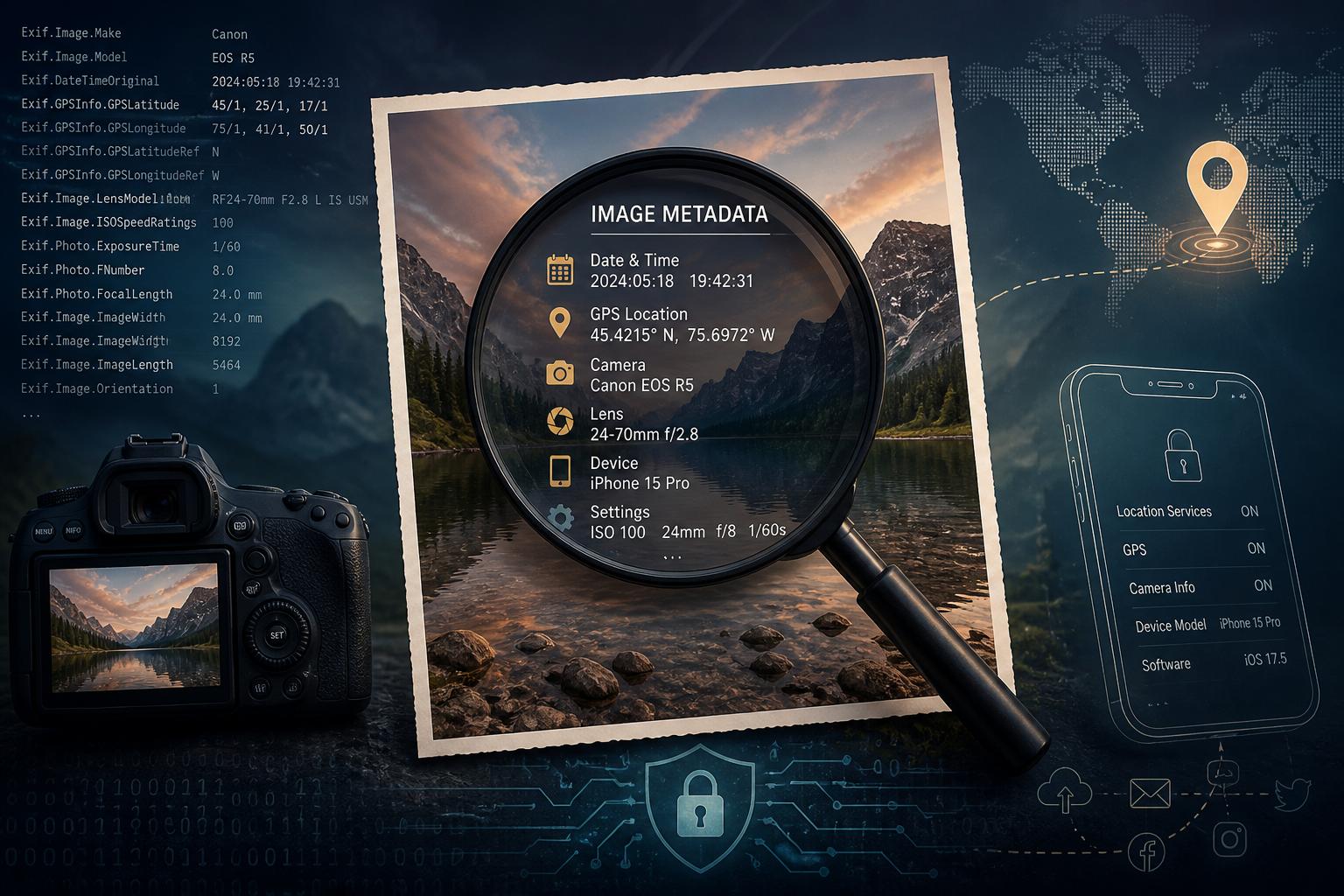
What photo metadata can reveal
A photo can contain information that is not visible on the screen. Many images include EXIF metadata, which is background data saved by a phone or camera when the picture is created. Depending on the device and its settings, this may include the date and time, GPS coordinates, camera model, lens detailsand the software used to edit the file.
None of that data needs to reveal an exact address to be useful. A timestamp can suggest when someone was somewhere. Location information can connect the image to a particular place. Repeated device details may help show that several photos came from the same source.
Metadata is not always retained. Social platforms often remove some location fields when images are uploadedand screenshots usually lose much of the original camera data. Still,that is not a guarantee of anonymity. original files sent through email, cloud links, messaging appsor direct downloads may preserve more information than a version posted publicly.
It is also worth remembering that metadata is only part of the picture. Street signs, landmarks, weather, reflections, business names, interior décorand even a view from a window can help someone work out where or when an image was taken.
How images get connected to online identities
Photo-matching tools can examine more than faces.they may pick up recurring details such as clothing, tattoos, backgroundsor the same person appearing in multiple public images. A new image may be compared with photos on social profiles, forums, news sitesor image-search indexes.
Usually, no single clue does all the work. A likely connection may come from several details lining up: a familiar face, a matching username, a tagged event, a recognizable locationor photos uploaded at similar times. Simply put, the risk is often cumulative. A photo that seems harmless by itself can become revealing when combined with information already available online.
Can AI identify me from a photo in every case? No. But a clear image, public accountsand location or timing clues can make it easier to narrow down who appears in a picture.
How to share photos more privately
The best time to remove identifying details is before the image leaves your device. Check the file for location data and other embedded information, then look carefully at what appears in the frame. House numbers, work badges, license plates, school uniforms, mail, computer screens, reflections, and distinctive tattoos can all reveal more than intended.
- Turn off camera geotaggingor remove location data before sharing.
- Crop,blur,or redact faces,documents,plates,addresses,and other sensitive details.
- Share a cleaned copy instead of the original file when privacy matters.
Use caution with cloud albums, public posts, group chats, marketplace listingsand support requests. A platform may resize an image or remove some metadata, but it can still preserve the visible clues that make a photo identifiable. Once an original image has been reposted, downloadedor copied, it is indeed difficult to control where it goes next.
Final thought
AI does not need a perfect headshot or a complete set of metadata to make a useful guess about a person in a photo. It may combine facial features with image details, timestamps, locationsand information already posted online. If an image includes something you would not want connected to your identity,location,workplace,or routine,take a few minutes to review it before sharing.
AI tools built by Emerald Force
Built and supported by Emerald Force.
You might also like
- AI Can Build Websites: From HTML to Backend Scaffolds
- AI Voice Scams Are Rising: Why Verification Matters
- Letting AI Run Terminal Commands: Essential Safeguards
- AI Lowers Routine Costs, but Expertise Still Decides
- AI Agents Today: Useful but Still Need Oversight
- How AI Enables Robots to Perceive, Plan, and Interact
- Retrieval-Augmented Generation: A Clear Guide
- Why Smaller Tuned Models Win Focused AI Tasks
- Protect Family From AI Scams: Verify Before Paying
- Will AI Become Conscious? No Evidence So Far