
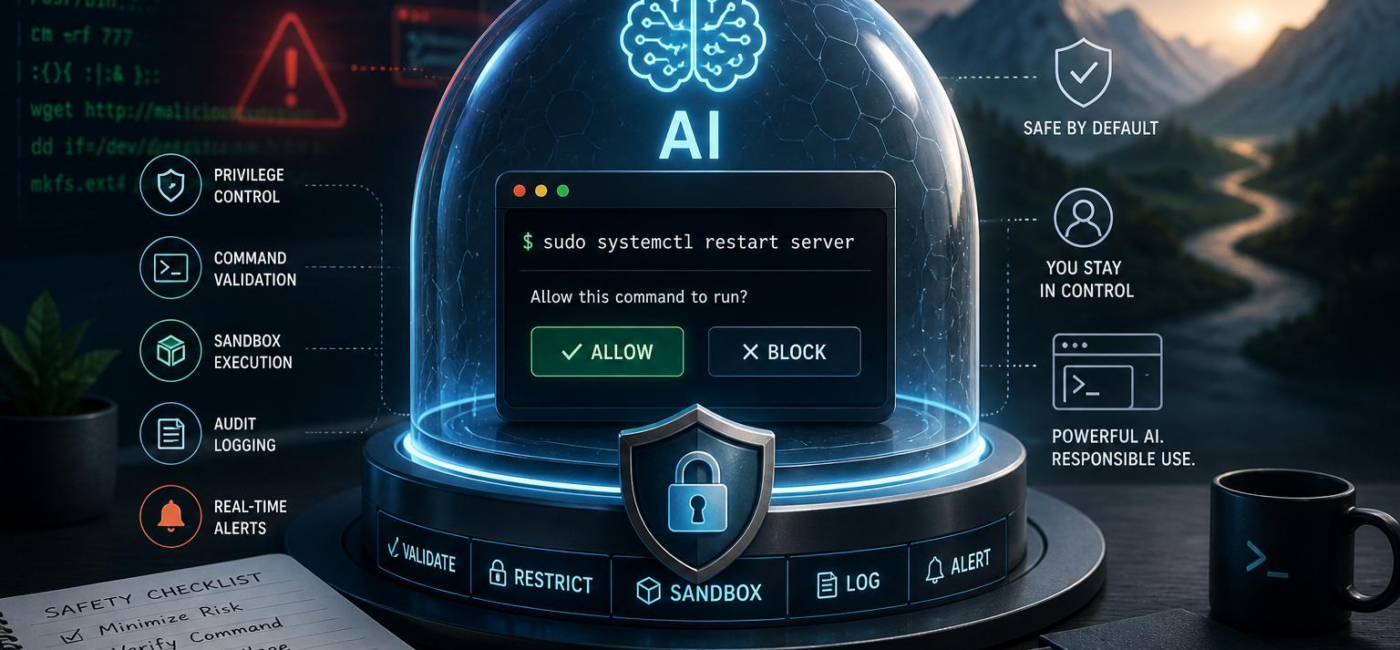
Should you let AI run terminal commands? Only with safeguards. A tool-using agent can be useful for routine checks, troubleshooting, adn repetitive tasks, but it can also make destructive changes quickly when its permissions are too broad. The safest approach is to give it a narrow role, keep a person involved when the stakes are highand make sure every action can be reviewed afterward.
Keep permissions narrow
Start with the simplest rule: an AI agent should have access only to the commands it truly needs. Reading logs, checking disk spaceor viewing a status file is very different from deleting files, installing packages, changing user accountsor restarting services. Separate read-only tasks from tasks that change the systemand avoid running the agent as an administrator or root user unless there is no reasonable alternative.
It also helps to define where the agent is allowed to work. Keep credential stores, deployment keys, production databasesand sensitive configuration files out of reach unless a specific task requires access. be especially careful with recursive deletion, permission changes, process termination, remote transfersand shell pipelines. Known diagnostic commands can frequently enough run automatically; unfamiliar commands,commands that alter state,and commands that contact external systems should stop for review.

Put high-impact actions behind approval
Some commands should not run on the agent’s judgment alone. Deleting data, changing production settings, rotating credentials, modifying access controls, opening network ports, deploying codeand running database migrations all deserve an approval step. The AI can inspect the situation, suggest a command, explain the likely effectand outline a rollback plan. A person should make the final call.
The approval request should be concrete. It should show the exact command, the working directory or target host, what will change, the likely risksand whether the action can be reversed. “This will remove 43 files from the production uploads directory” gives someone enough details to decide. “Cleanup required” does not. For anything consequential, record who approved it and when. That pause can prevent a vague request, bad assumptionor malicious prompt from becoming real damage.
Use a sandbox whenever possible
Do not give an AI agent direct access to a developer’s laptop,a production server,or a shared build machine by default. Run it in a contained environment instead. A sandbox can limit the files it sees, the commands it runs, and the systems it can reach. Use a non-privileged account, expose only the environment variables the task requiresand keep network access off unless there is a clear reason to enable it.
Mount only the files needed for the taskand make source material read-only where that works. Give the agent a separate output directory for patches, reportsor generated files. If it needs broader access, require a new approval rather than allowing permissions to expand automatically. For longer-running or more complex work, set sensible limits on CPU, memory, disk spaceand run time so an error does not become a runaway process.
log the work and plan for recovery
Every AI-initiated terminal command should leave a record that a human can review. Capture the task that triggered it, the exact command, the working directory, the account used, timestamps, standard output, error outputand exit status. Protect those logs from alteration, but take care not to store passwords, tokens, private keysor other secrets in plain text. redact sensitive values before output reaches a shared log.
Set alerts for situations that need attention: repeated failures, requests for elevated privileges, changes to protected pathsor output that does not match expectations. Just as important, decide in advance how to stop a job, restore a backup, revert version-controlled changesand confirm that a service is healthy again. A backup is only useful if it has been tested, and an alert is only useful if someone is responsible for responding to it.
Let AI help,but keep control
AI can save time in the terminal,especially when it is used for inspection,drafting commands,and well-defined routine work. The risk rises when it can act broadly, silently, or with elevated privileges. Give it the smallest practical set of permissions, isolate it from sensitive systems, require approval for meaningful changesand keep a clear trail of what happened. Those safeguards let the agent be useful without giving it more control than it has earned.
AI tools built by Emerald Force
Built and supported by Emerald Force.
You might also like
- AI Can Build Websites: From HTML to Backend Scaffolds
- AI Voice Scams Are Rising: Why Verification Matters
- Letting AI Run Terminal Commands: Essential Safeguards
- AI Lowers Routine Costs, but Expertise Still Decides
- AI Agents Today: Useful but Still Need Oversight
- How AI Enables Robots to Perceive, Plan, and Interact
- Retrieval-Augmented Generation: A Clear Guide
- Why Smaller Tuned Models Win Focused AI Tasks
- Protect Family From AI Scams: Verify Before Paying
- Will AI Become Conscious? No Evidence So Far