
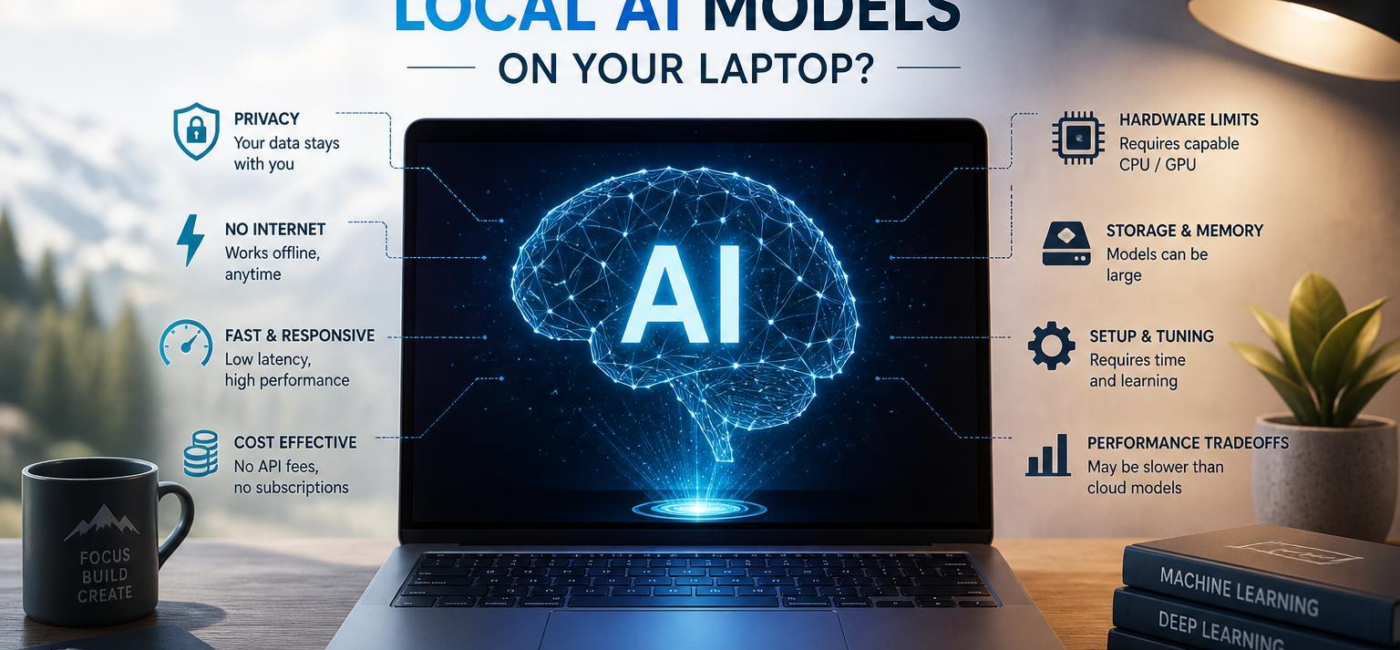
Should you run local AI models on yoru laptop? It depends on what you want from them. Local models can be a good fit for private work,offline use,and hands-on experimentation,but they are not automatically the best option for every task. Your laptop’s memory, graphics hardware, storageand cooling will shape both the models you can run and how pleasant they are to use.
What Your Laptop Needs
A laptop’s brand matters less than its available memory, graphics capabilityand ability to stay cool under load. Smaller, compressed versions of models can work reasonably well on many newer machines for short chats, rewriting, summariesand simple coding questions. Larger models need more memory for both the model itself and the conversation or documents you give it. On a system with limited RAM, that can mean slow responses, stallsor constant use of the SSD as overflow memory.
| Component | What matters most | Practical effect |
|---|---|---|
| System RAM | Capacity for the model and context | Determines which model sizes are realistic |
| GPU / VRAM | memory and compute for inference | Improves response speed and supports larger models |
| Storage | Fast SSD space for model files | Reduces load times and leaves room for multiple models |
| Cooling | Ability to sustain long workloads | Helps prevent slowdowns during extended sessions |

Privacy Is a Real Advantage-With Limits
The main appeal of local AI is control. When a model runs on your laptop, your prompts, draftsand documents do not need to be sent to an outside AI service for processing. That can be useful if you work with client notes, unpublished material, source code, financial dataor personal writing.
Still, running AI locally does not make your setup private by default. The model file, the app that runs itand any extensions or connected tools deserve the same caution as other software. Download models from sources you trust, verify files when checksums or signatures are availableand keep the request updated. It is also worth checking for telemetry, crash reporting, cloud syncor plugins that may access your files or the internet.
local chat histories and model files can remain vulnerable to malware, weak passwords, unencrypted backups, or a lost laptop. If the material is sensitive, use device encryption and a separate account or protected storage where appropriate.
Local AI vs. Cloud AI
Local models give you more control, but your laptop sets the ceiling. A compact model may be perfectly useful for everyday writing, note-taking, summariesand straightforward coding help. Larger models, long documentsand demanding creative tasks can quickly expose the limits of laptop hardware. Response speed also changes depending on whether you are running on battery, have other apps openor have been working long enough for the machine to heat up.
Cloud services usually have an advantage when you need stronger models or faster results. They run on remote hardware built for intensive workloads, although they require an internet connection and involve trusting a provider with the information you submit. If you are deciding whether to use local models on your laptop, think less about which option is “better” in general and more about where control, privacy, speedand output quality matter most for a particular task.
For many peopel,a mixed approach makes the most sense. Use a local model for private notes,routine drafting,offline work,or experimentation. Turn to a cloud service when you need more capable reasoning, very long context, image generationor a result quickly.
Choose for the Work You Actually Do
start with the tasks you expect to use most frequently enough. if you mainly want a private writing assistant or a simple chat tool, a smaller model is frequently enough the practical choice. It may not be the most capable model available, but it can respond quickly enough to become part of your daily workflow.
Document analysis, larger coding projects, and image-related work require more from a laptop. Memory matters at least as much as processor speed as the model, your operating systemand the files or applications involved all need room to work. when the system runs short on memory and begins shifting data to storage, even a technically compatible model can become unpleasantly slow.
Leave room on your SSD as well. Model files can take up several gigabytesand testing a few options can consume space faster than expected.You will also want capacity for downloads, temporary filesand normal laptop use. If you plan to work away from an outlet, keep battery life and heat in mind: a model that feels fine while plugged in might potentially be less practical on a train or during a long flight.
the right local model is not the largest one your laptop can barely load. It is indeed the one that handles your real work reliably, keeps your data where you want itand responds fast enough that you will actually use it.
AI tools built by Emerald Force
Built and supported by Emerald Force.
You might also like
- Can AI Fake Photos? How Synthetic Images Look Real
- AI Handles Routine Service; Humans Handle the Rest
- How AI Can Scale and Tailor Misinformation
- AI Helps Both Sides: Security Choices Decide
- Few-Shot Prompting: Learning from a Few Examples
- Inference Cost: The Compute Behind Model Outputs
- How to Benchmark Tools Before Buying: A Practical Guide
- Can AI Remove Backgrounds? A Proven Vision Use Case
- How AI Clusters Customer Feedback and Detects Sentiment
- AI Center of Excellence: Standards and Adoption