
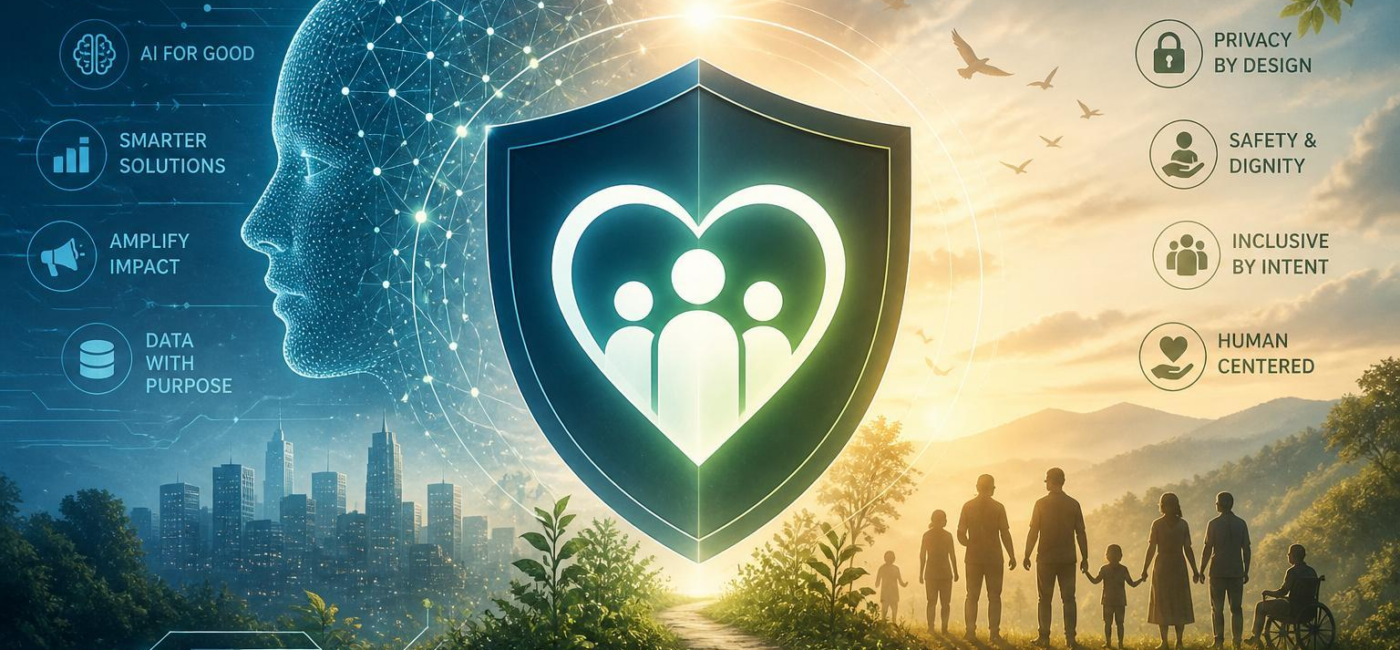
Should nonprofits use AI? Yes-when it helps deliver the mission and the institution has clear safeguards for the people it serves and the data it holds. Used thoughtfully, AI can take some routine work off staff members’ plates, help make communications cleareror organize information that would or else be hard to manage. But it is indeed not a substitute for judgment, relationshipsor accountability.
The starting point is simple: the technology should serve the mission, not reshape it. Before bringing an AI tool into everyday work, nonprofits should be clear about what it is for, what it cannot do, and who remains responsible when something goes wrong.
Put people and the mission first
Responsible AI governance does not need to mean a thick policy binder or a new committee for every tool. It does mean making a few decisions up front.Someone should be responsible for each AI tool in useand staff should know which tasks require human review before an answer, suggestionor decision reaches a client, donor, volunteeror community member.
That matters most when AI might influence access to services,case support,outreach,communications,or the distribution of limited resources. A tool may help staff organize information, but it should not quietly become the final voice on who receives help or how someone is treated. People affected by an AI-assisted decision should have a real way to ask questions, correct errors, and use a non-automated option where possible.
Keep a simple record of the tools your organization uses, why they are being used, what information goes into them, and who owns the decision to use them. Review those choices regularly. Tools change, staff roles changeand so do the needs and concerns of the communities you serve. Bringing programme staff and community voices into those conversations can reveal risks that are easy to miss from behind a desk.

Handle personal information with care
For nonprofits, privacy is part of the duty of care. AI tools can make it easier to summarize notes, sort requests, or draft responses, but they can also expose sensitive information if staff treat them like ordinary office software. Names, addresses, immigration status, health details, case notes, donor recordsand personal stories should not be entered into an AI system simply because it is convenient.
Use only the information the task truly requires. If staff can get the same result with anonymous, redactedor less detailed information, that is usually the better choice. Before approving a tool, make sure the organization understands where data is stored, who can access it, whether it may be used to train outside systemsand how it can be removed when it is no longer needed.
Consent deserves the same care.People should be able to understand, in plain language, what information is being used and why. This is especially important when someone may feel they have little choice because they need food, shelter, legal support, health servicesor another essential resource. A buried notice or a box on a form is not enough. Whenever AI affects service delivery or interaction, provide a human contact and a practical choice for people who do not want to use an automated route.
Good security practices still matter: limit access to sensitive records, review permissions, assess vendors, prepare for incidentsand train staff to spot problems. Just as important, make it easy for employees to pause a process, report a concernand correct a record when an AI-generated result is inaccurate or inappropriate.
Choose tools that support staff judgment
The best AI tools for nonprofits are frequently enough the least dramatic. A tool that helps summarize routine notes, sort general inquiries, identify missing fieldsor turn dense information into plain-language drafts may save time without taking over decisions that belong to people.
Be more cautious when a tool relies on sensitive personal data, makes recommendations that staff cannot explain, or creates pressure to accept its output as objective. AI should not decide eligibility, assess someone’s level of risk without careful review, rank people by supposed worthinessor make determinations involving benefits, housing, health, safetyor legal support.
Before adopting a system,test it against real situations your programs encounter. Ask frontline staff where context matters and where an incomplete or misleading answer could cause harm. Invite privacy, legaland technology advisers to examine how information will be handled. When appropriate, ask community members whether the language, assumptionsor process feels understandable and fair.
- Use AI for low-risk, repeatable tasks that staff can easily review.
- Set clear limits on the information that might potentially be entered into each tool.
- Keep a person responsible for checking outputs and making final decisions.
write those boundaries down. Staff should know what a tool may support, what it must never doand what to do when its output seems wrong. In many cases, a modest tool that helps people do careful work is a better fit than an aspiring system that asks an organization to hand over too much judgment.
Give staff clear guidance and room to speak up
AI policies only work if staff can use them in the course of a busy day. start with practical roles: a program lead who understands the mission and community context, a privacy or data steward, a person responsible for technology choices, and frontline staff who can point out where automation creates confusion or risk. The goal is not to turn every employee into an AI expert. It is to make sure people know the limits of the tools around them.
Training should go beyond writing better prompts. Staff need to recognize confidential information,check questionable outputs,document errors,and understand when a human must take over.They also need permission to challenge a tool’s recommendation without being seen as resistant to change.
Start small. Try new tools on lower-risk work, compare the results with staff judgmentand talk honestly about what failed and also what helped. Managers should allow time for that review. If employees are expected to verify AI-generated work on top of an already full workload, the organization has not removed risk-it has simply pushed it onto the people with the least time to manage it.
Use AI carefully, not casually
Nonprofits do not need to avoid AI altogether. They do need to be selective. The right use can free up time for the work that depends on empathy, context, trust, and human connection. The wrong use can expose private information, reinforce unfair assumptionsor distance an organization from the people it exists to serve.
Choose tools with a clear purpose, protect sensitive information, keep people involved in meaningful decisionsand revisit the rules as circumstances change. That is how nonprofits can use AI in a way that supports the mission while protecting the people at the heart of it.
AI tools built by Emerald Force
Built and supported by Emerald Force.
You might also like
- Few-Shot Prompting: Learning from a Few Examples
- Inference Cost: The Compute Behind Model Outputs
- How to Benchmark Tools Before Buying: A Practical Guide
- Can AI Remove Backgrounds? A Proven Vision Use Case
- How AI Clusters Customer Feedback and Detects Sentiment
- AI Center of Excellence: Standards and Adoption
- Where AI Coding Excels: Tests, Refactors, Scaffolds
- AI Can Fake Documents-Why Verification Is Essential
- Can AI Identify You From a Photo? Key Risks
AI Models Explained: From Inputs to Outputs