

Description
Version 5.0.0 Released Click
HERE to view the Changelog
New Features
- Drip Campaigning: Automate template message sequences to nurture leads and engage customers over time with scheduled delivery.
- Product Catalog Integration: Synchronize your WhatsApp product catalog with the CRM to manage products seamlessly and receive customer orders directly.
- CRM Event Triggers: Automatically send pre-approved template messages triggered by key CRM events such as creation, update, or deletion.
- Template Creation: Create and manage reusable message templates efficiently.
- Agent Routing: Improve response times by automatically assigning incoming chats to the most appropriate agents based on configured rules.
- Internal Notes: Enhance team collaboration by adding private internal notes within conversations that are only visible to staff.
- Message Reactions: Better understand customer sentiment by receiving and displaying message reactions directly within conversation threads.
- Location Request: Effortlessly collect customer locations through automated location request messages within the bot.
- Contact Request: Share predefined contact details with customers or leads on demand using automated bot responses.
- Catalog Request: Allow customers to explore your product offerings by requesting catalogs via trigger keywords.
- Receive Contact Messages: Streamline lead management by handling and storing incoming shared contact details efficiently within the system.
- Frequently Forwarded Indicator: Gain better context on incoming messages with indicators for content that has been frequently forwarded.
- Typing Indicator: Create a more natural interaction experience by displaying a “typing…” status on the recipient’s device.
- Auto-Reply Outside Business Hours: Maintain 24/7 engagement by automatically responding to messages received outside of configured business hours.
Improvements
- Sidebar Menu: Refined sidebar navigation for improved usability and faster access to core module features.
- Template Creation: Enhanced management interface for creating and organizing reusable message templates more efficiently.
Bug Fixes
- WhatsApp Flow Templates: Resolved an issue where response previews for WhatsApp Flow templates were not displaying correctly.
Ensure you have the latest and greatest version to take full advantage of these improvements.
Note: This is not a standalone application. This is a plugin for PERFEX CRM. You have to install Perfex –
Powerful Open Source CRM to use this module.

Brief Description:
Transform your customer engagement and revolutionize your communication strategies with the WhatsApp
Marketing, Bot, and Chat Module for Perfex CRM. This innovative module is designed to seamlessly
integrate with Perfex CRM, offering businesses an unparalleled suite of tools for marketing, automated customer
interactions, and real-time support through WhatsApp.
Imagine a world where you can effortlessly reach your customers, provide instant responses, and manage all your
interactions from a single, unified platform. This is more than just a module; it’s a transformative tool for your
business.
Key Features:
- Official WhatsApp Cloud API : Empower your business with the ability to send bulk messages to
large groups using WhatsApp’s official Cloud API. Experience the ease and efficiency of controlling your
messaging campaigns with just a few clicks. - Marketing Automated Messages : Never miss an opportunity to connect with your audience.
Schedule and send automated greetings and away messages, ensuring that your communication is timely and
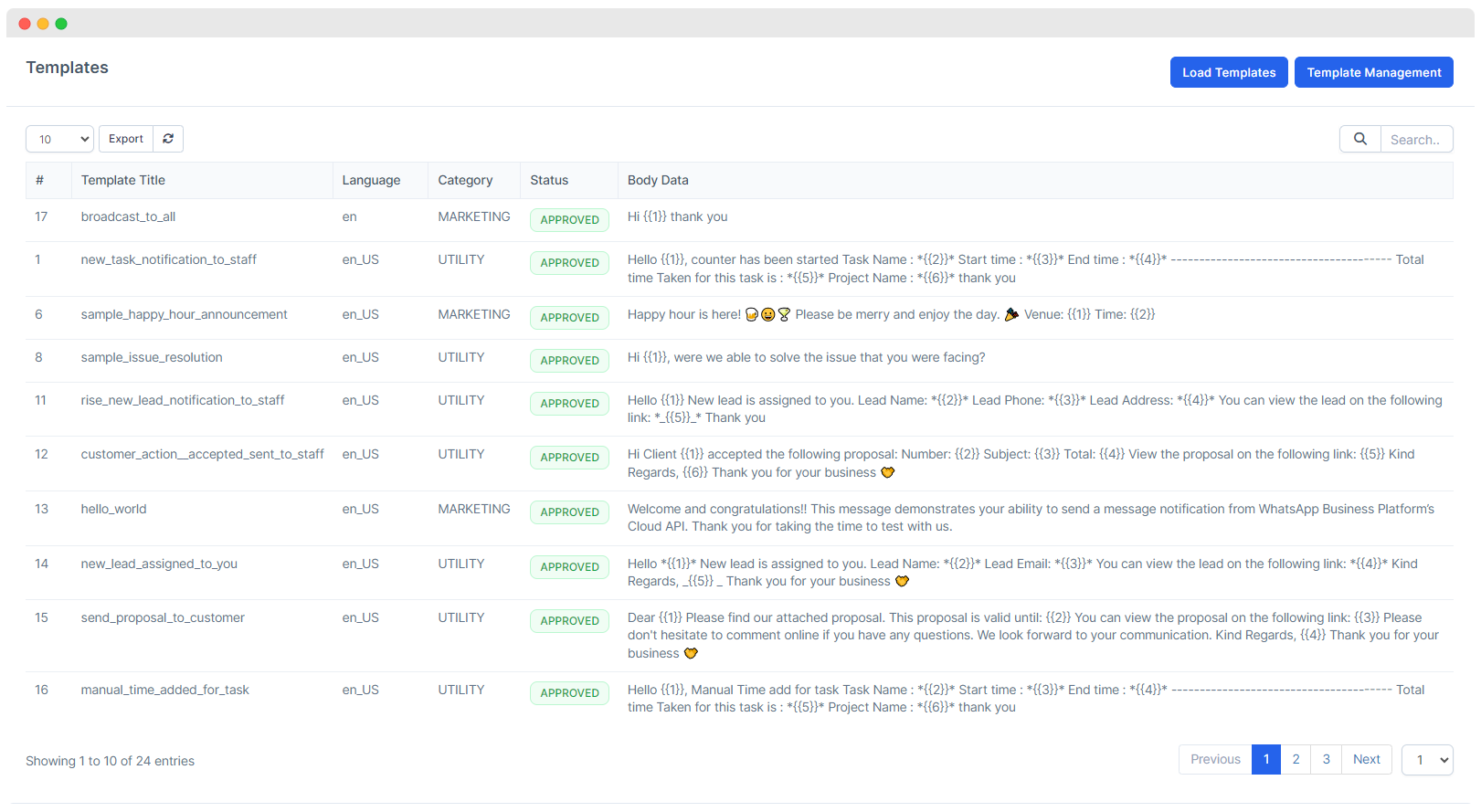
personalized, even when you’re away. - Templates Management : Streamline your communication process with our robust template
management feature. Create, save, and manage message templates directly from the WhatsBot dashboard, ensuring
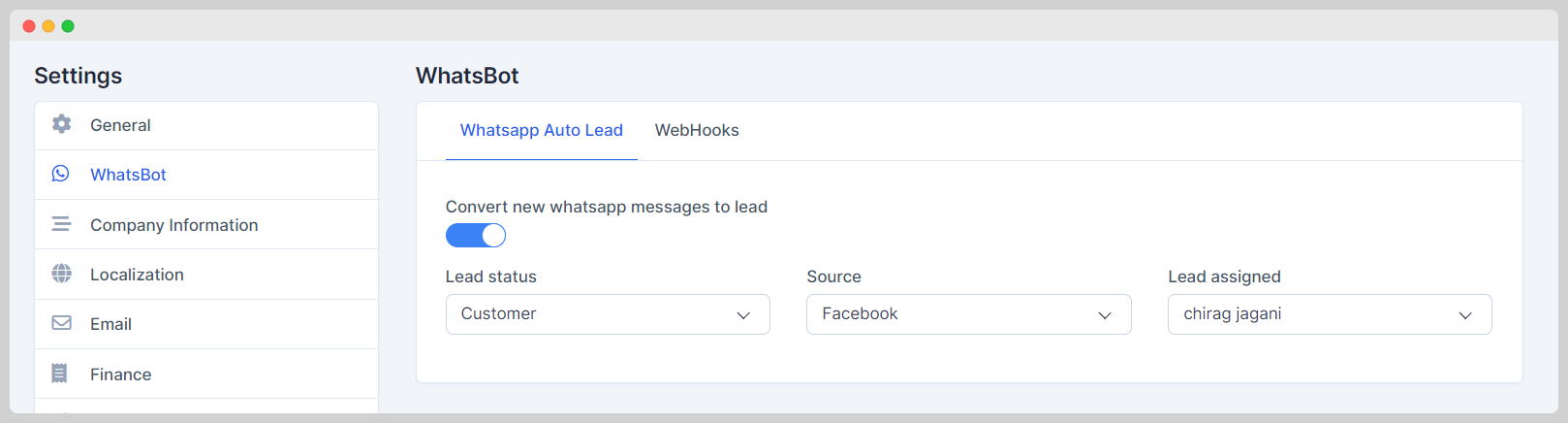
consistency and professionalism in every message you send. - Acquire New Lead Automatically : Transform incoming WhatsApp messages into potential leads
effortlessly. Our automatic lead addition feature ensures that every interaction is captured and nurtured,
helping you grow your customer base without extra effort. - Real-Time Notifications : Stay ahead of the curve with real-time WhatsApp notifications. Keep
your audience informed about important updates, actions, or events instantly, fostering a sense of engagement
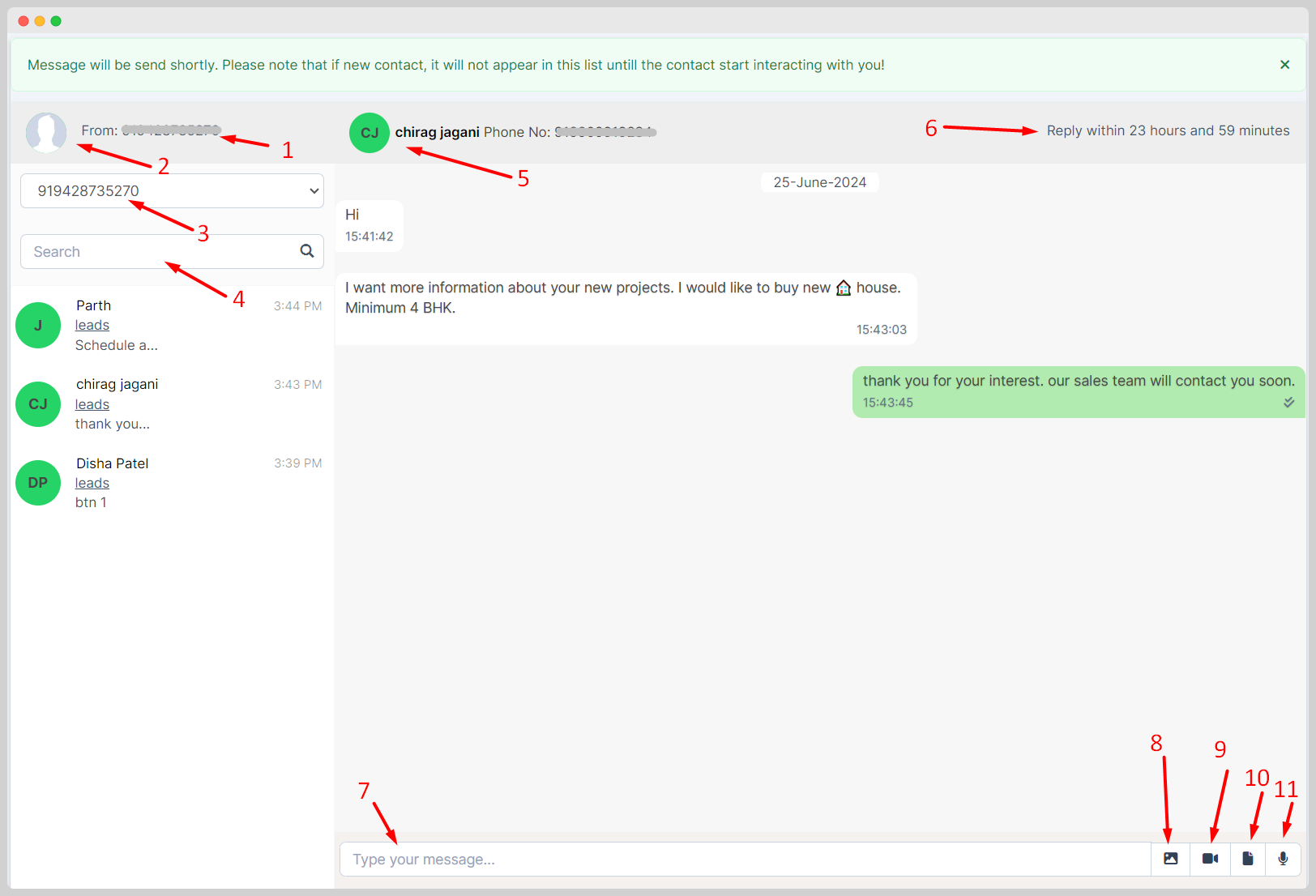
and responsiveness. - Real-Time Chat Within Admin Area : Manage all your real-time chats directly from Perfex CRM’s
admin area. This feature centralizes your communications, making it easier to track, respond, and engage with
your clients in real-time. - Versatile Messaging : Break the monotony of plain text messages. Send images, attachments,
videos, and voice messages to your clients and Leads providing a rich and engaging communication experience. - Status Updates for Messages : Monitor the impact of your communications with real-time status
updates. Know exactly when your messages are sent, delivered, and read, allowing you to gauge effectiveness and
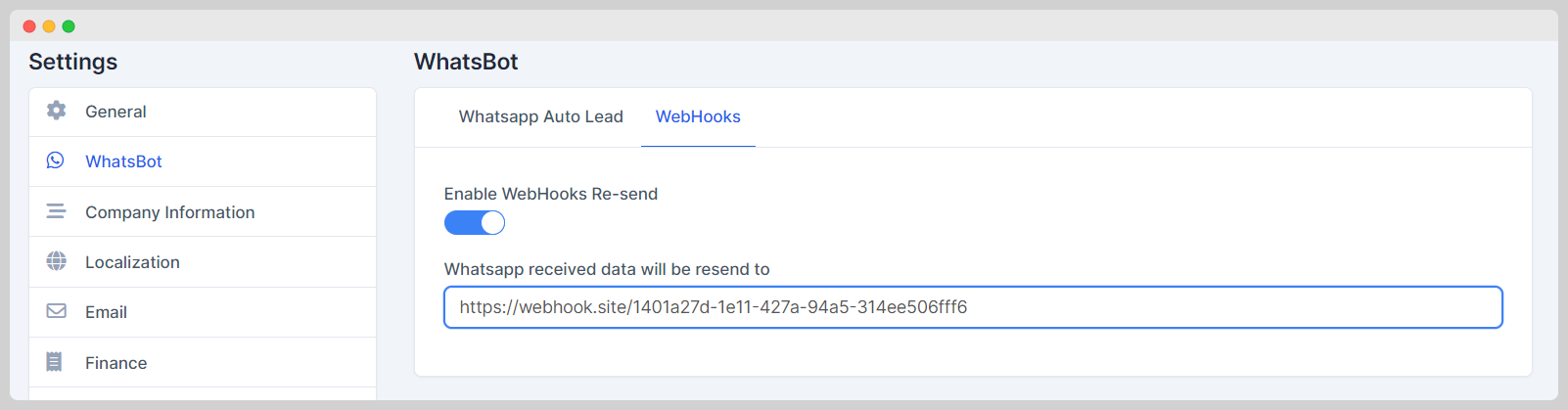
plan follow-ups accordingly. - Forward Webhooks : Allows you to forward HTTP notifications from your module to other
third-party Applications. - Campaign Targeted Messages : Amplify your marketing efforts with targeted bulk messaging
campaigns. Send personalized greetings, offers, and updates to your audience, ensuring your messages hit the
mark every time. - User-Friendly Interface : Navigate with ease through WhatsBot’s smooth and intuitive interface.
Designed for users of all technical levels, it ensures that you can access and utilize all features without
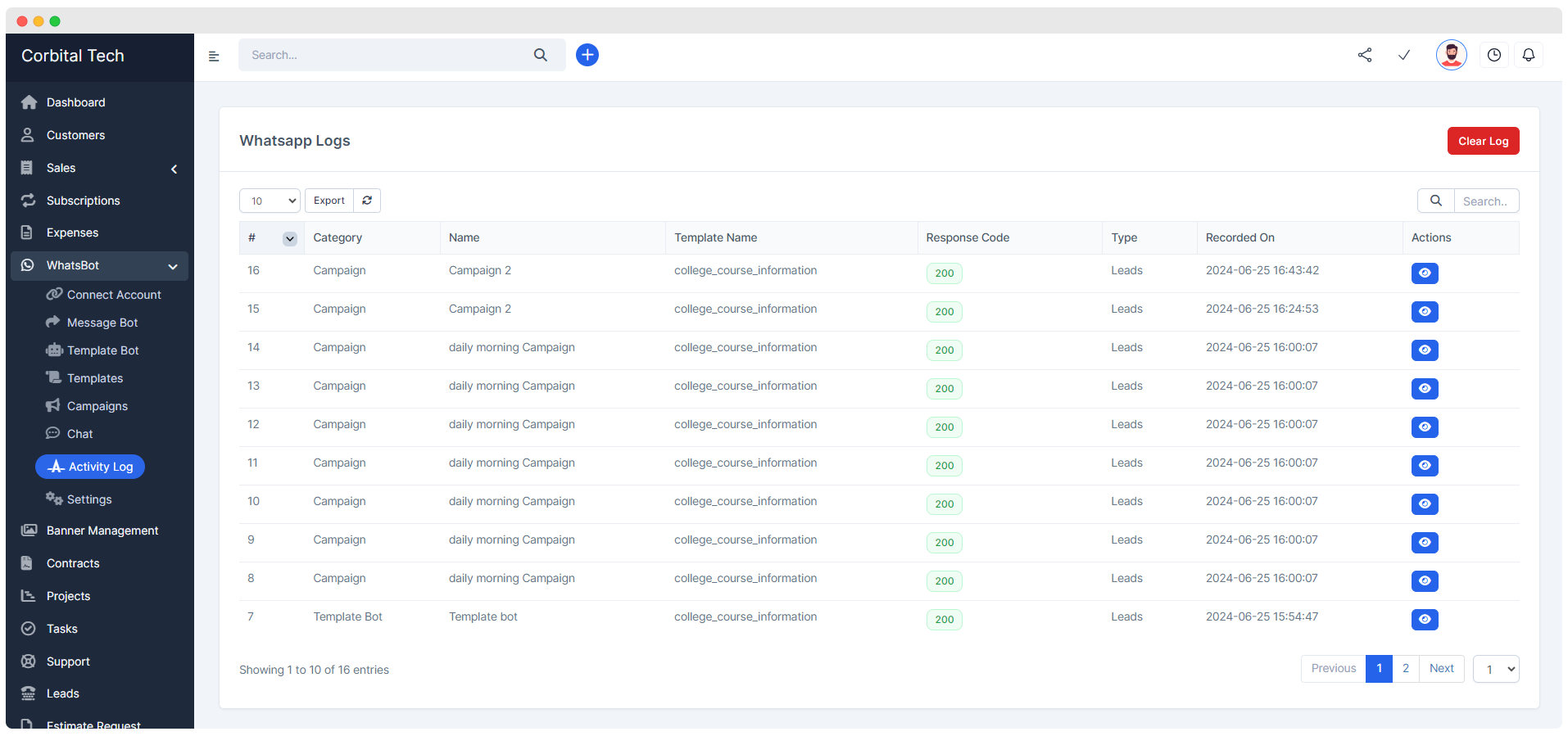
hassle. - Message Logs : Keep a comprehensive record of all your WhatsApp interactions. Detailed message
logs provide a valuable resource for reference, analysis, and improving your troubleshooting strategies. - Lifetime Free Updates : Stay ahead of the game with lifelong free updates. Our commitment to
continuous improvement means your system will always have the latest features and enhancements at no extra cost. - Assign Support Agents: Assign specific support agents to leads or customers for personalized
assistance. - Multiple Trigger Keywords: Support for multiple trigger keywords for both the message bot and
template bot,allowing more flexible automation. - Bot Clone Feature: Easily clone bots to streamline the setup of similar bots.
- Delete Individual Chat: Delete individual chat messages for better chat management.
- Welcome Message on Any Keyword: Send a welcome message when any specified keyword is detected.
- Sound Notification on New Message: Receive a sound notification whenever a new message arrives.
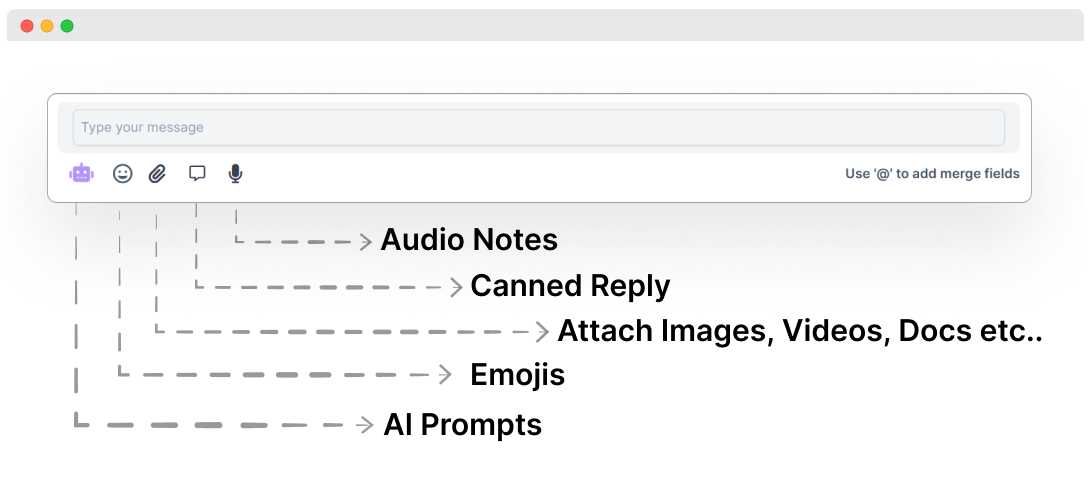
- Emoji Picker in Live Chat: Introduced an emoji picker to enhance user interaction during live
chat sessions. Users can now easily access and use a wide variety of emojis to enrich their conversations. - AI Chat Feature: Added an AI-powered chat feature leveraging OpenAI’s capabilities. This
feature includes functionalities such as sentence correction, grammar checking, professional reply generation,
and language translation, providing users with powerful tools for effective and versatile communication. - Document Type Feature: Introduced a document type feature, allowing users to send and manage
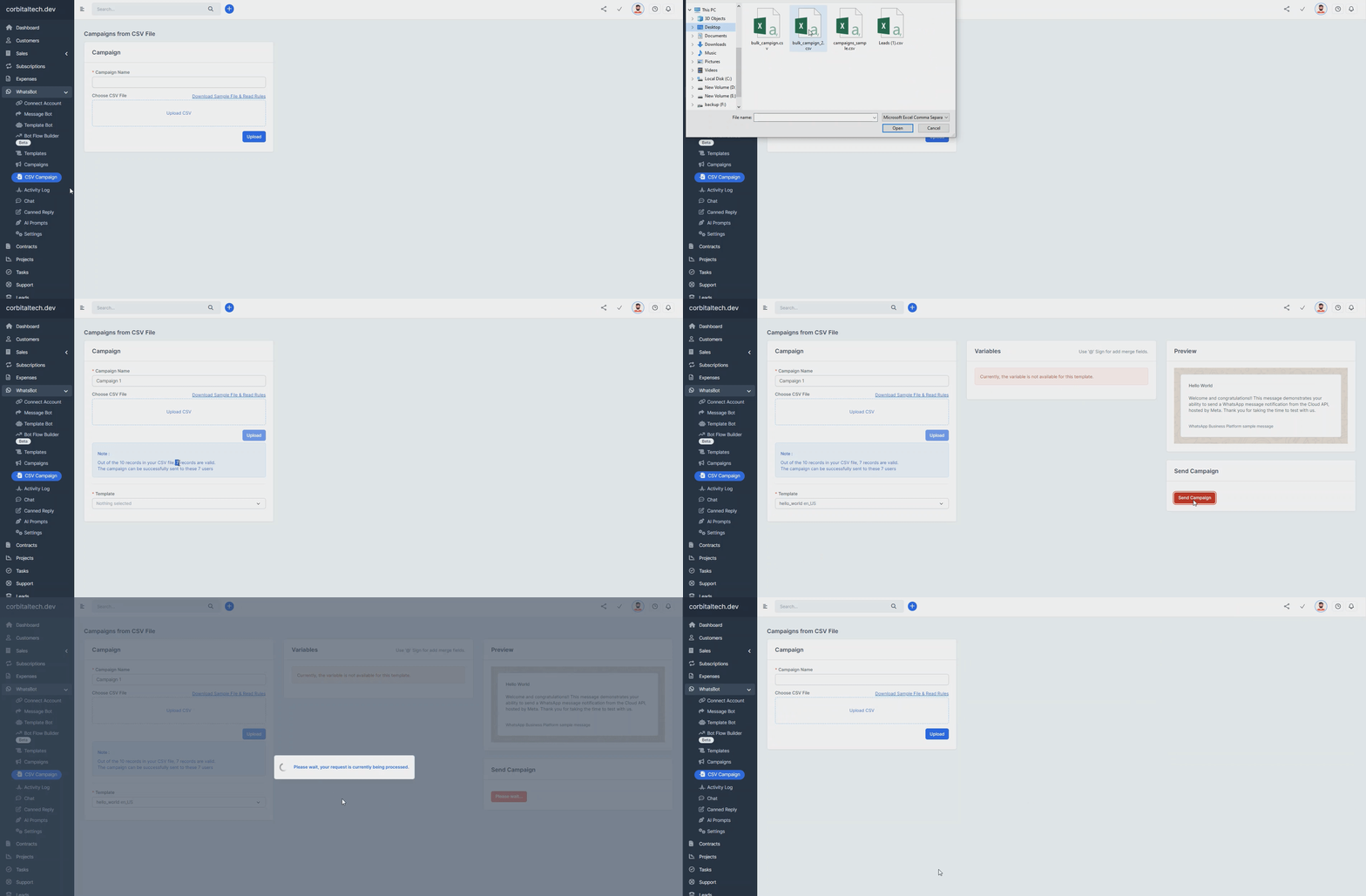
documents within the template bot, campaigns, and message bot, streamlining document-related workflows. - (New) Bulk Campaign Sending from CSV: Send bulk campaigns directly from a CSV file for
efficient targeting without entering unnecessary lead entries in the database, avoiding unnecessary database
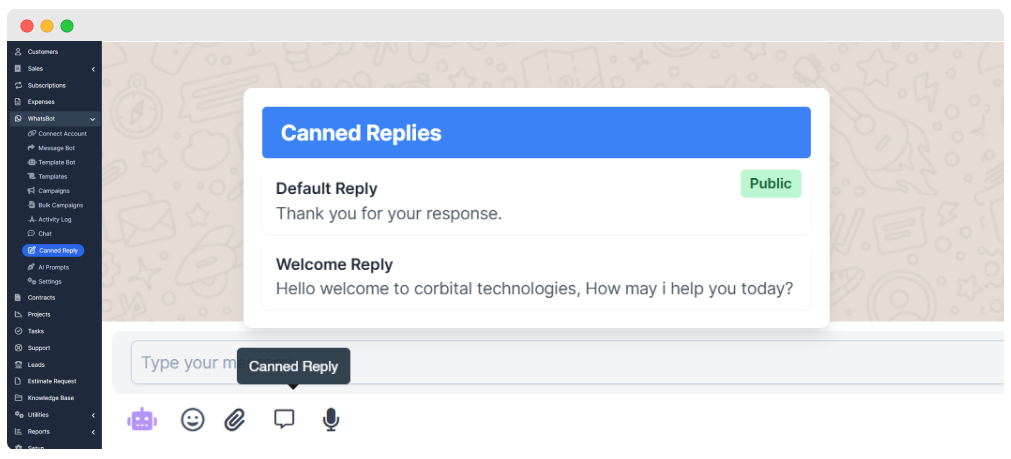
entries. - (New) Canned Reply in Chat: Implemented canned replies in chat, enabling users to quickly
respond to common inquiries with pre-set messages. This feature saves time and ensures consistent communication. - (New) Custom AI Prompts in Chat: Added the ability to create and use custom AI prompts within
chat. This feature allows users to tailor AI responses to specific needs, providing more personalized and
context-relevant interactions. - (New) Bot Flow Builder (beta & pre-build): Create and automate complex chat interactions
effortlessly with the intuitive, drag-and-drop Bot Flow Builder, enabling seamless conversation design and
automated responses. - (New) Dynamic Merge Field Support: Easily personalize messages by adding dynamic merge fields
directly in the chat. - (New) inline message reply feature: allowing users to respond directly to specific messages
within a conversation. This enhances communication clarity by providing context to replies, making conversations
more organized and easier to follow
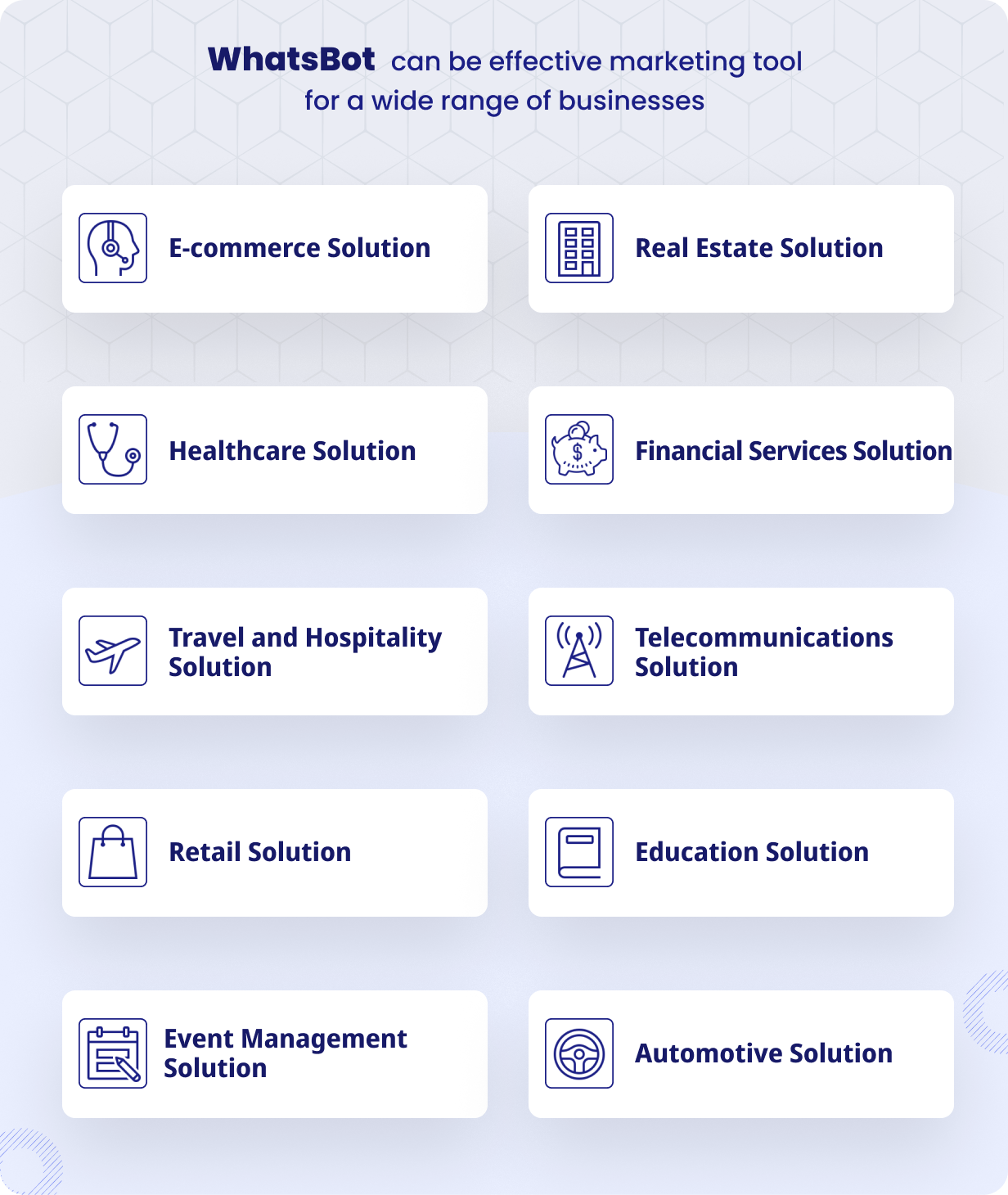
Who Can Use This Module ?
- Small to Medium-Sized Enterprises (SMEs)
SMEs looking to enhance customer engagement,
streamline communication processes, and automate marketing campaigns will find this module invaluable. - E-commerce Businesses
Online stores can use this module to send order confirmations and
promotional offers directly to their customers via WhatsApp, ensuring timely and effective communication. - Customer Support Teams
Businesses with dedicated customer support teams can manage real-time
chats, send automated responses, and ensure that all customer inquiries are addressed promptly. - Sales and Marketing Teams
Sales and marketing teams can use this module to run targeted
marketing campaigns, manage leads efficiently, and keep potential customers engaged with personalized messages. - Service-Based Businesses
Service providers such as consultants, freelancers, and agencies
can keep clients informed about project updates, meeting reminders, and other important notifications through
WhatsApp. - Educational Institutions
Schools, colleges, and training centers can use this module to send
announcements, event reminders, and updates to students and parents. Furthermore, Automate step-by-step
enrollment guidance, deliver instant course details, and offer 24/7 inquiry support through integrated chat and
automated responses. - Healthcare Providers
Clinics, hospitals, and wellness centers can communicate with patients
about appointment reminders, and health tips via WhatsApp.
Screenshots:
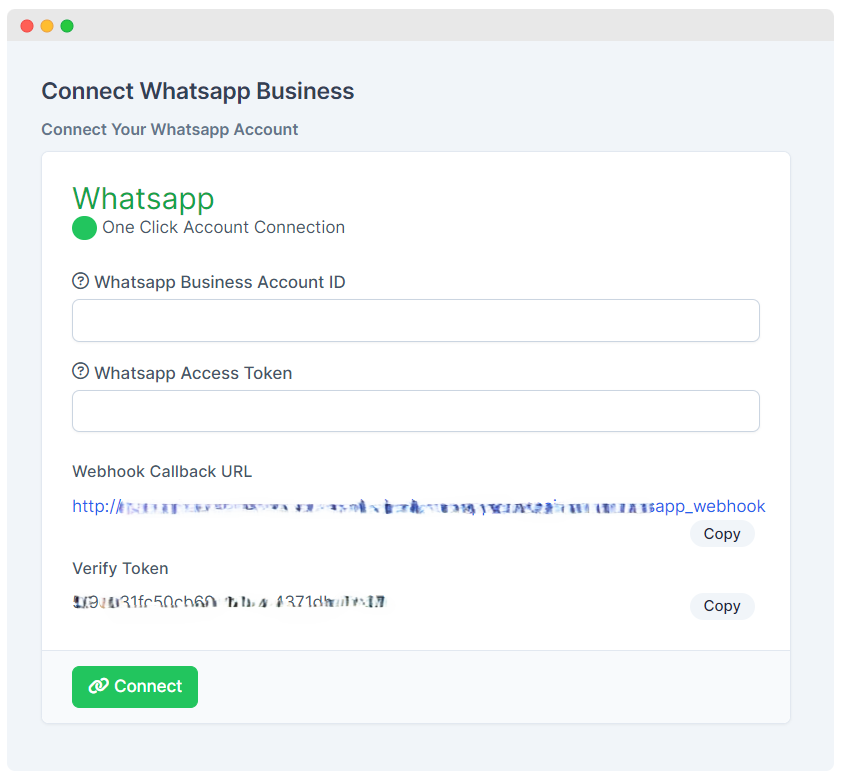
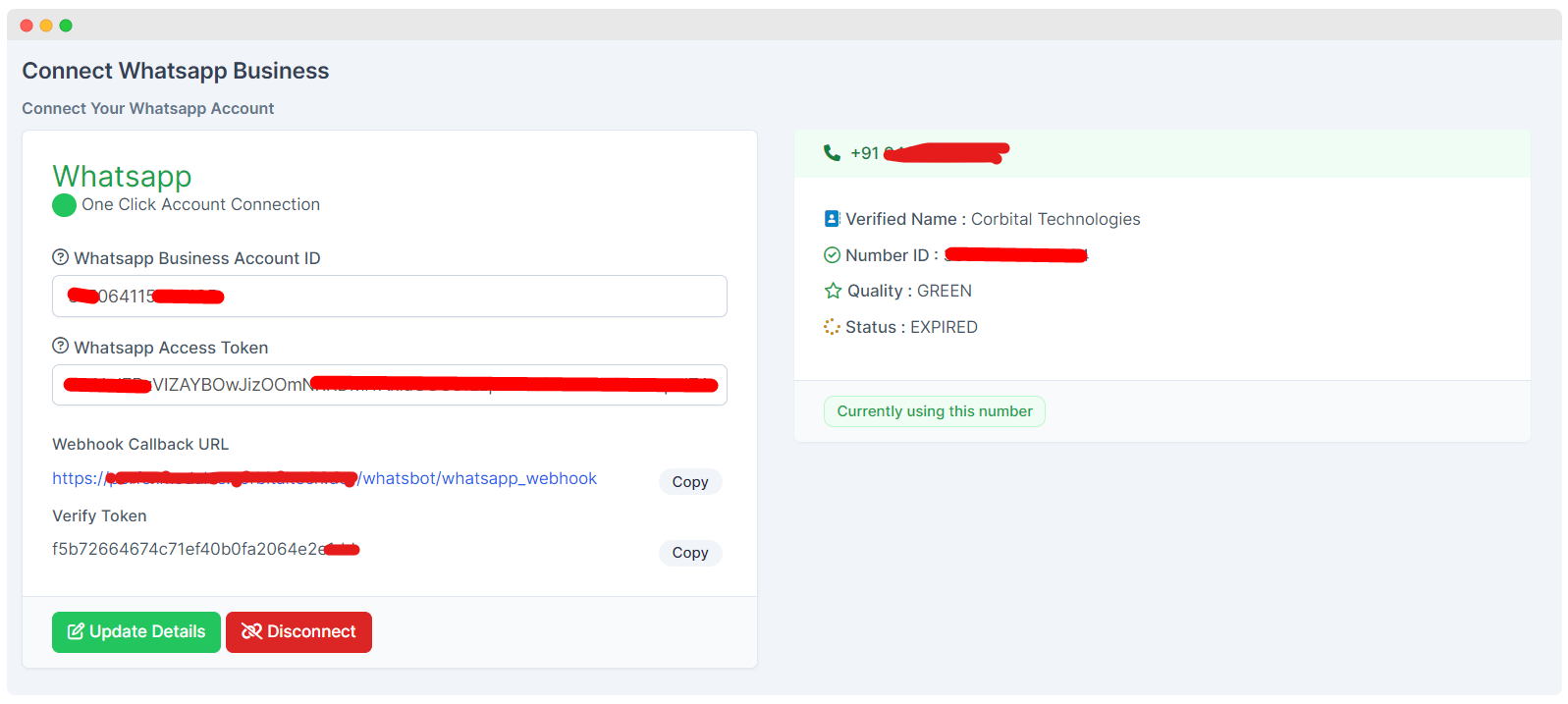
Connect Account
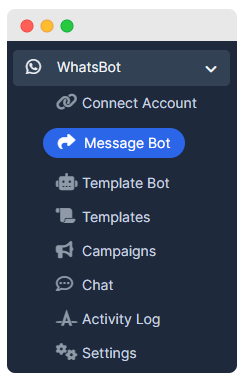
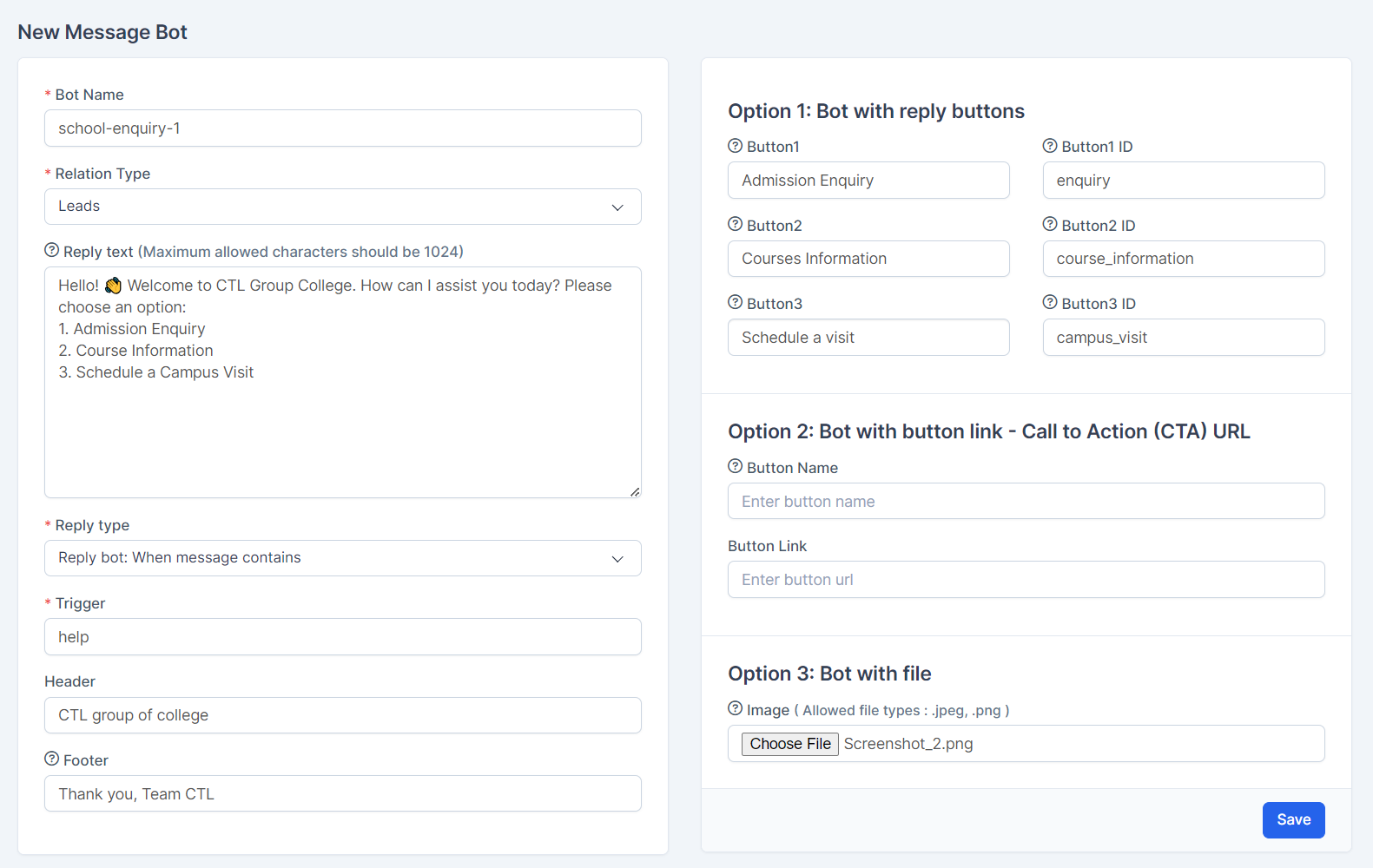
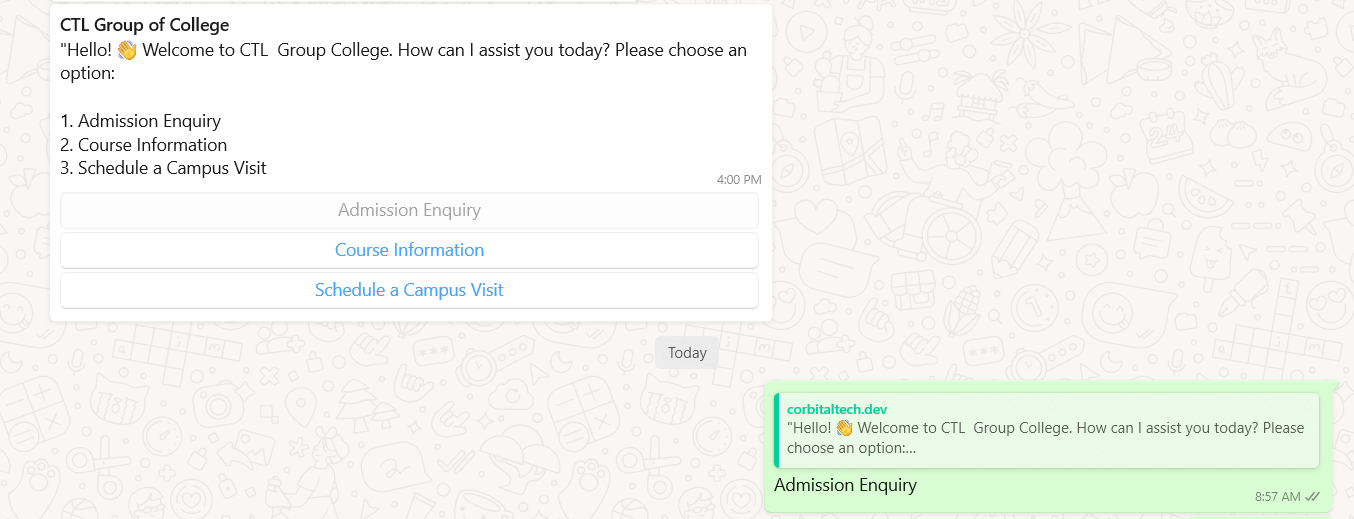
Message bot
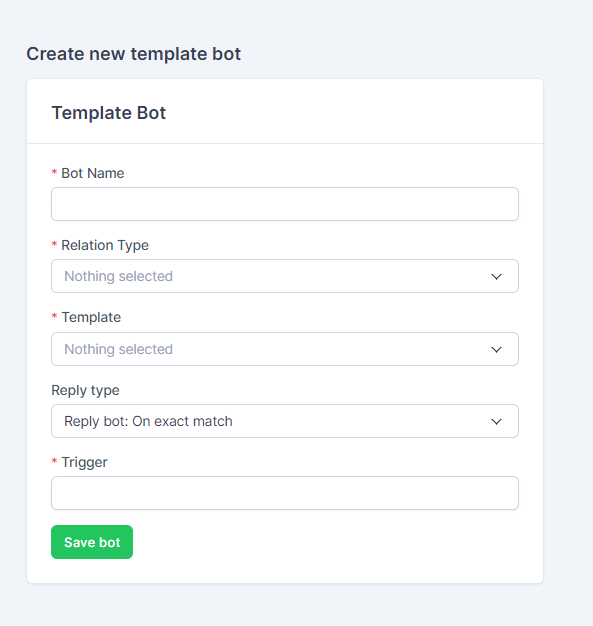
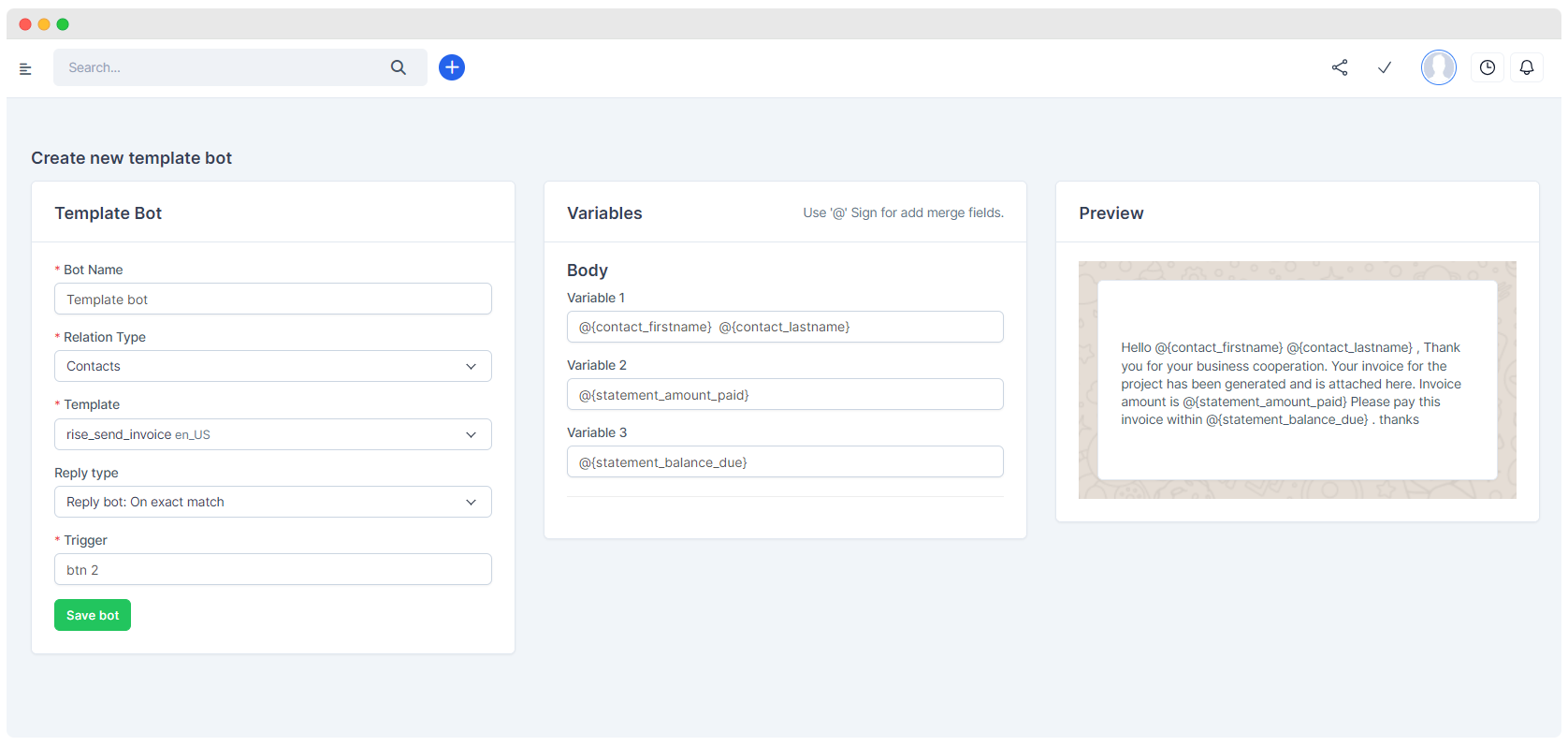
Template Bot
Acquire New Lead Automatically & Forward Webhook
Load Templates
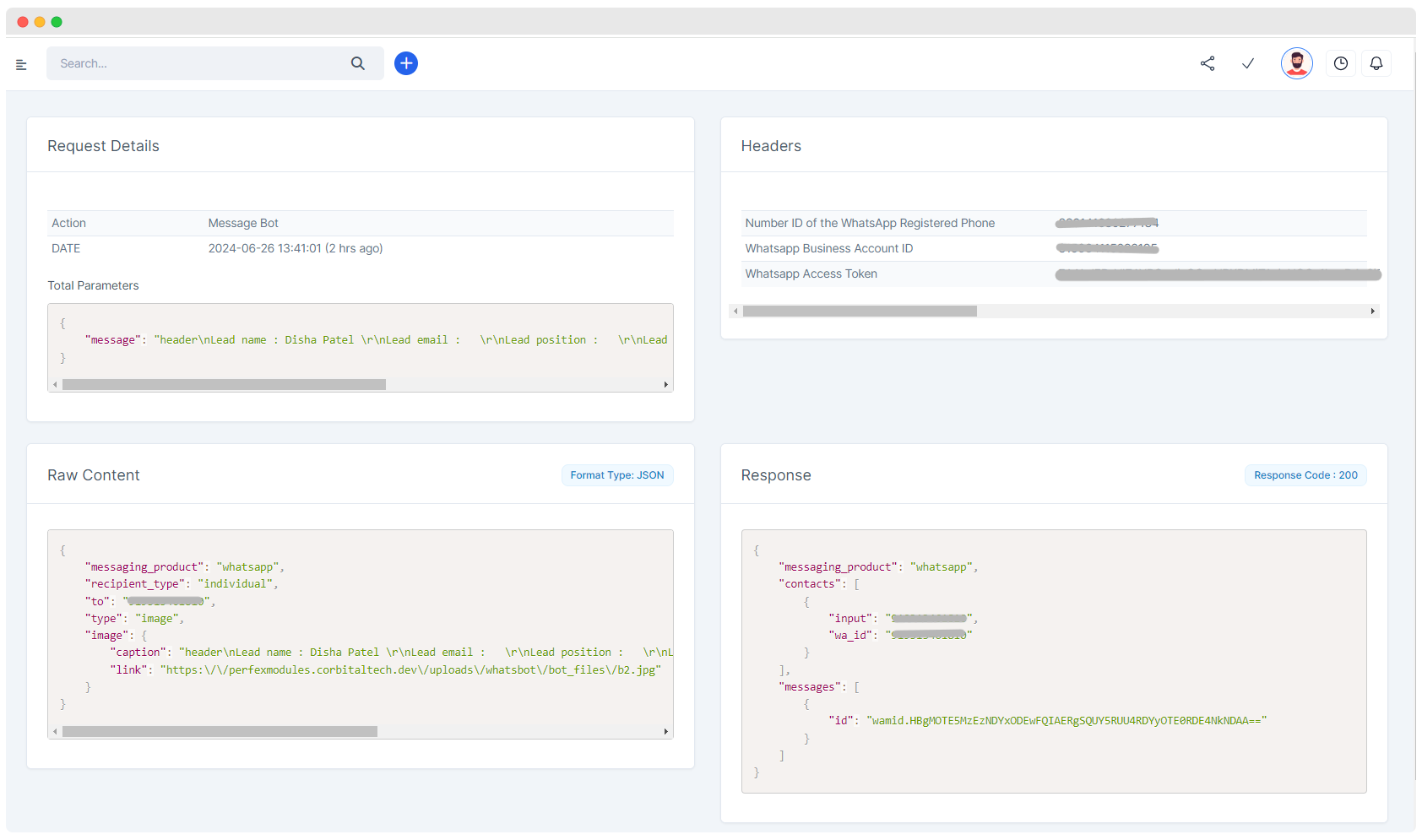
Activity Log
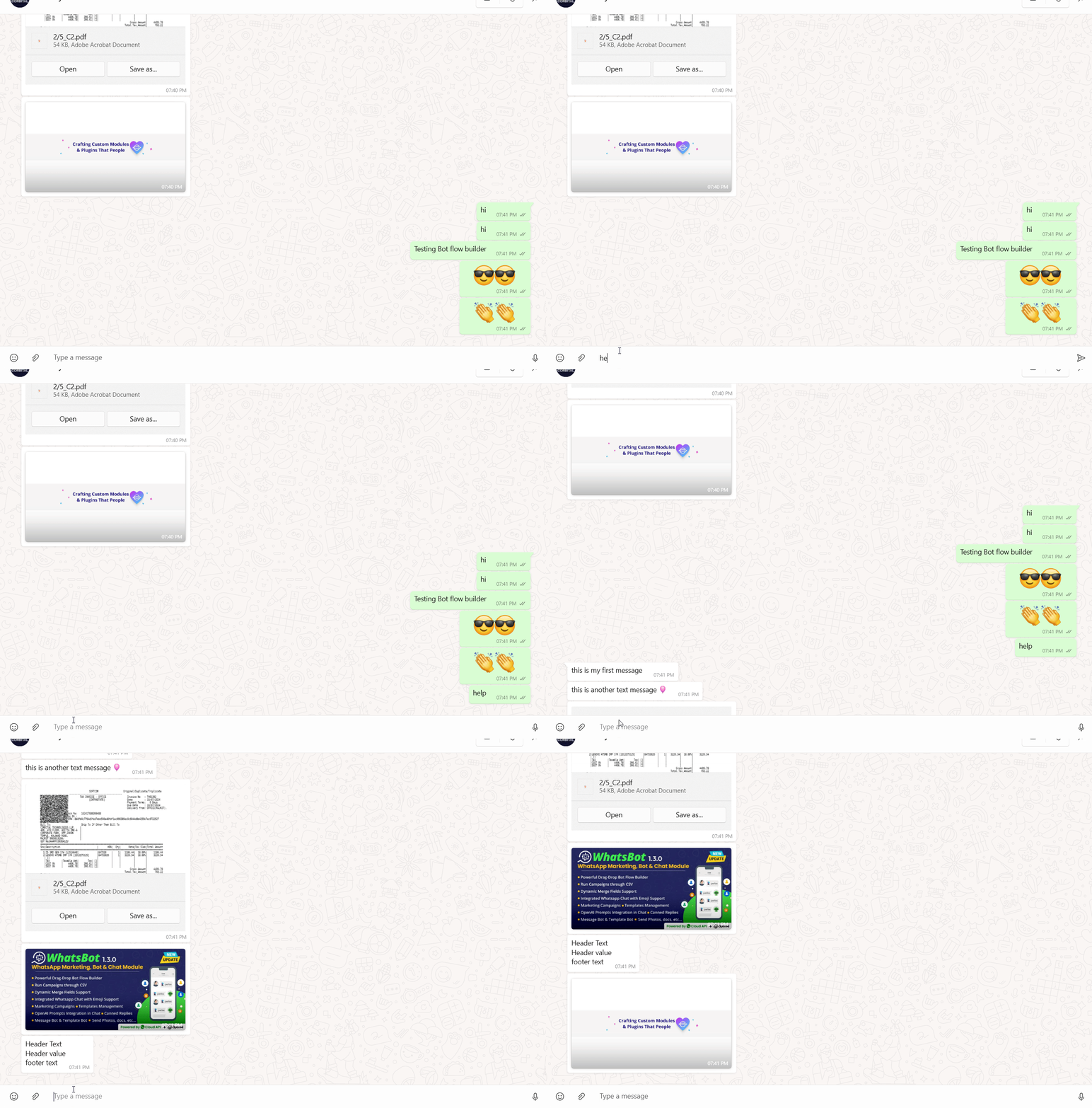
Integreted Chat within Admin Area
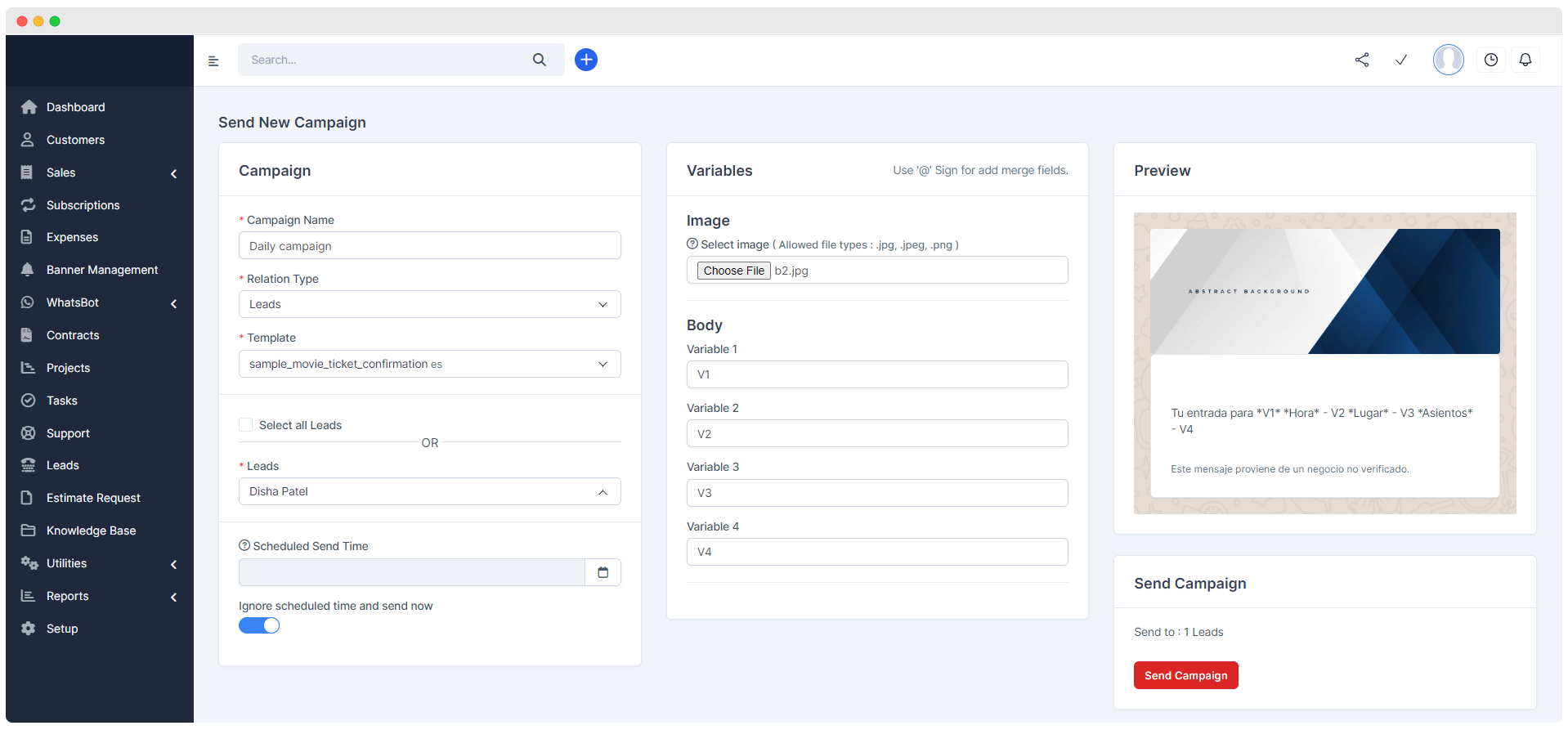
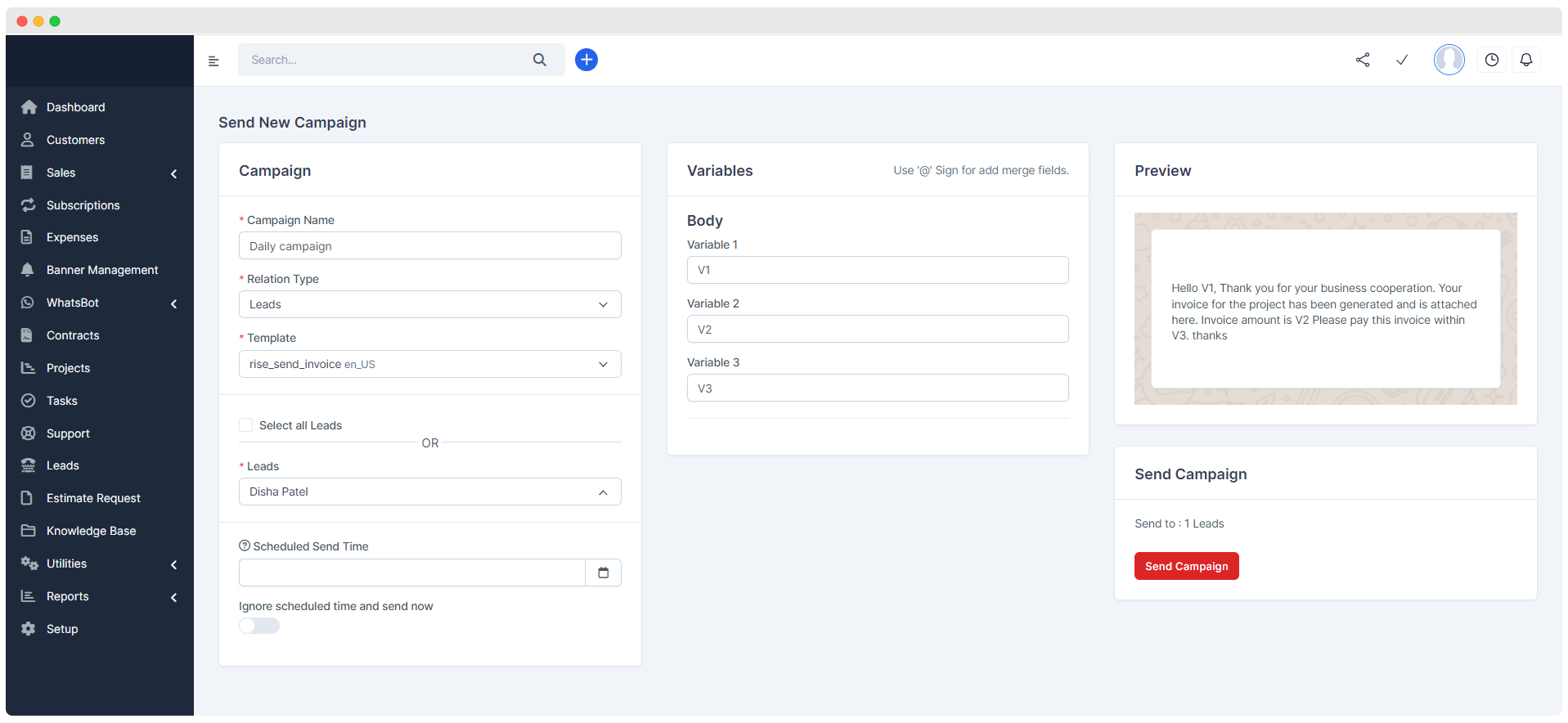
Campaign
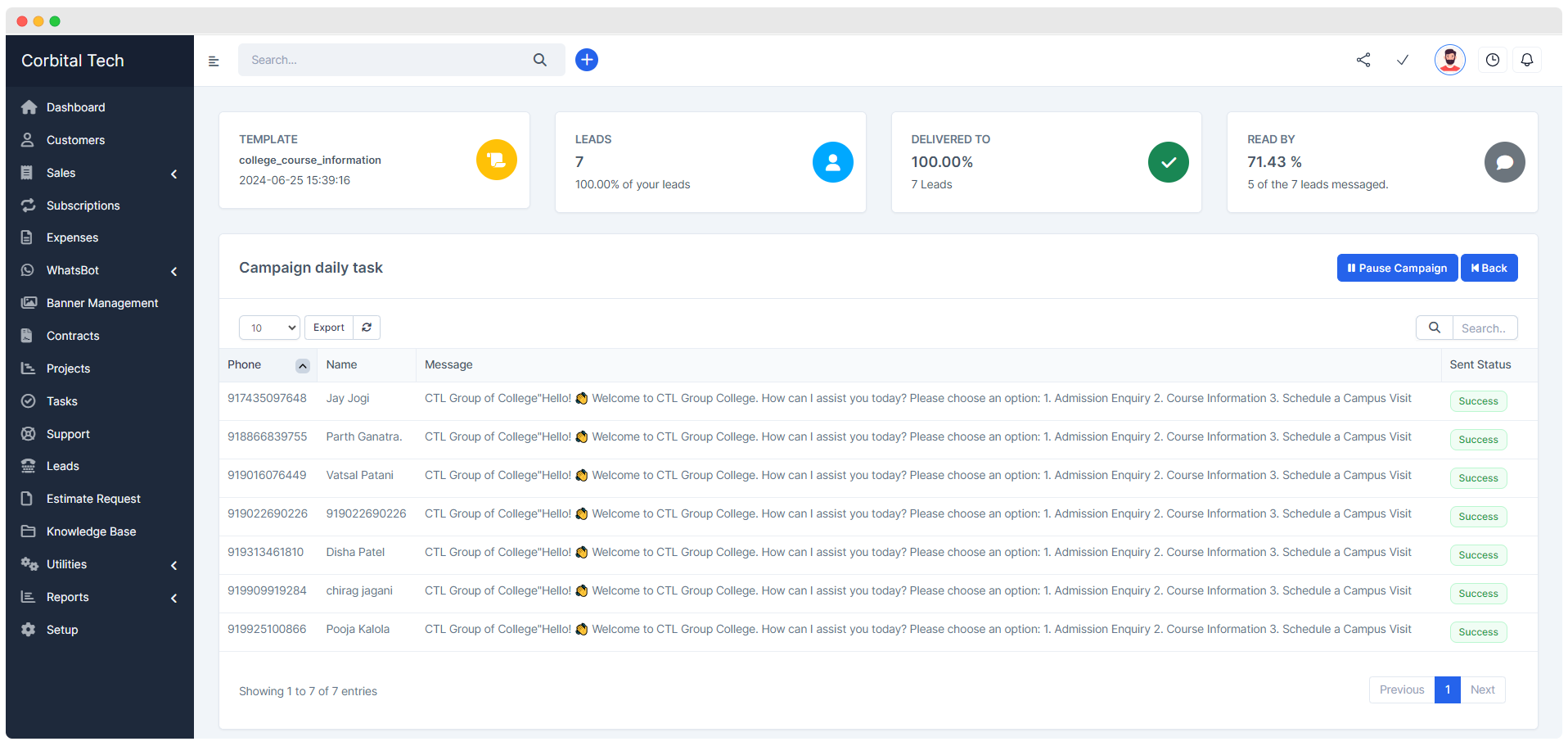
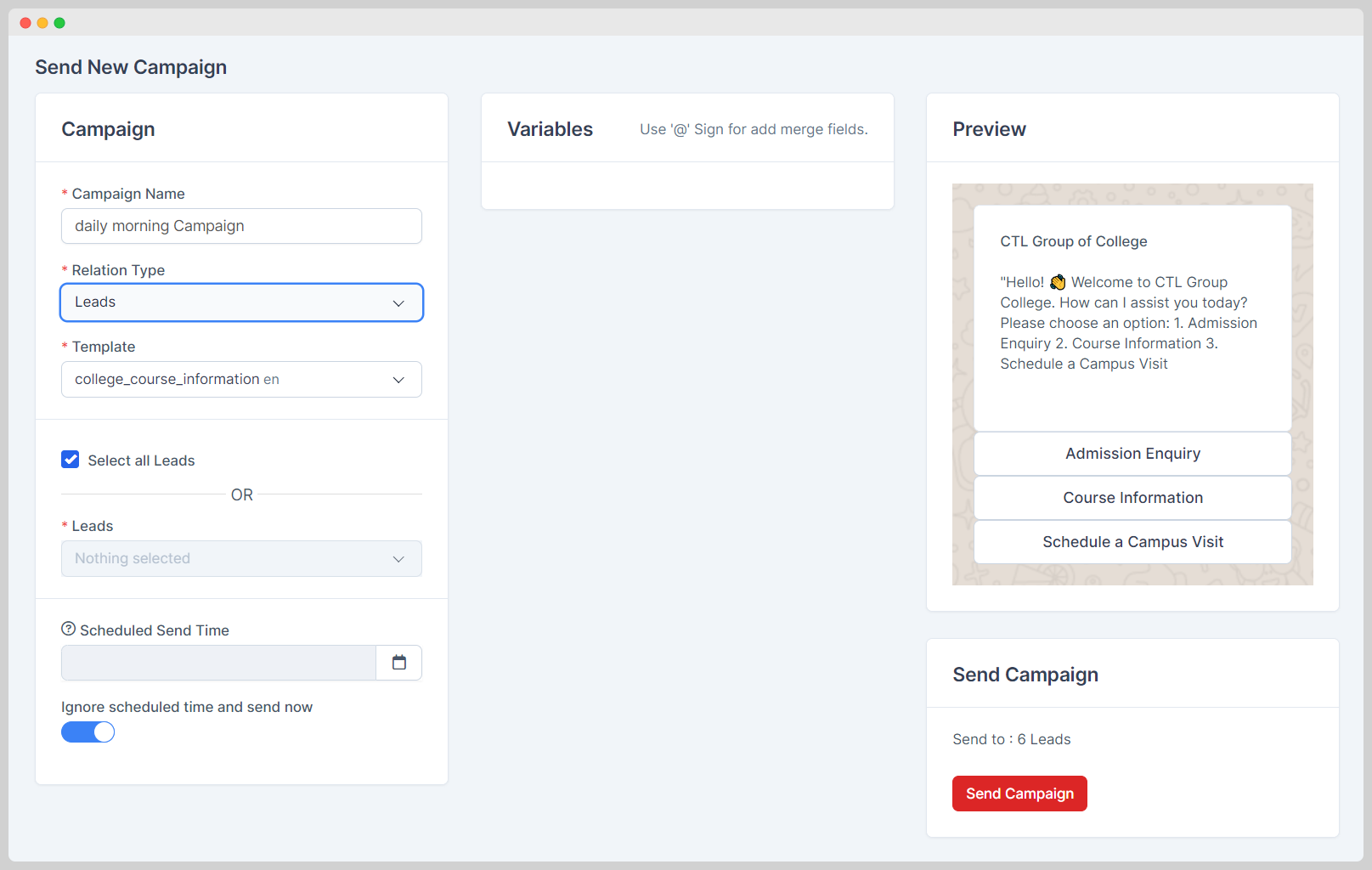
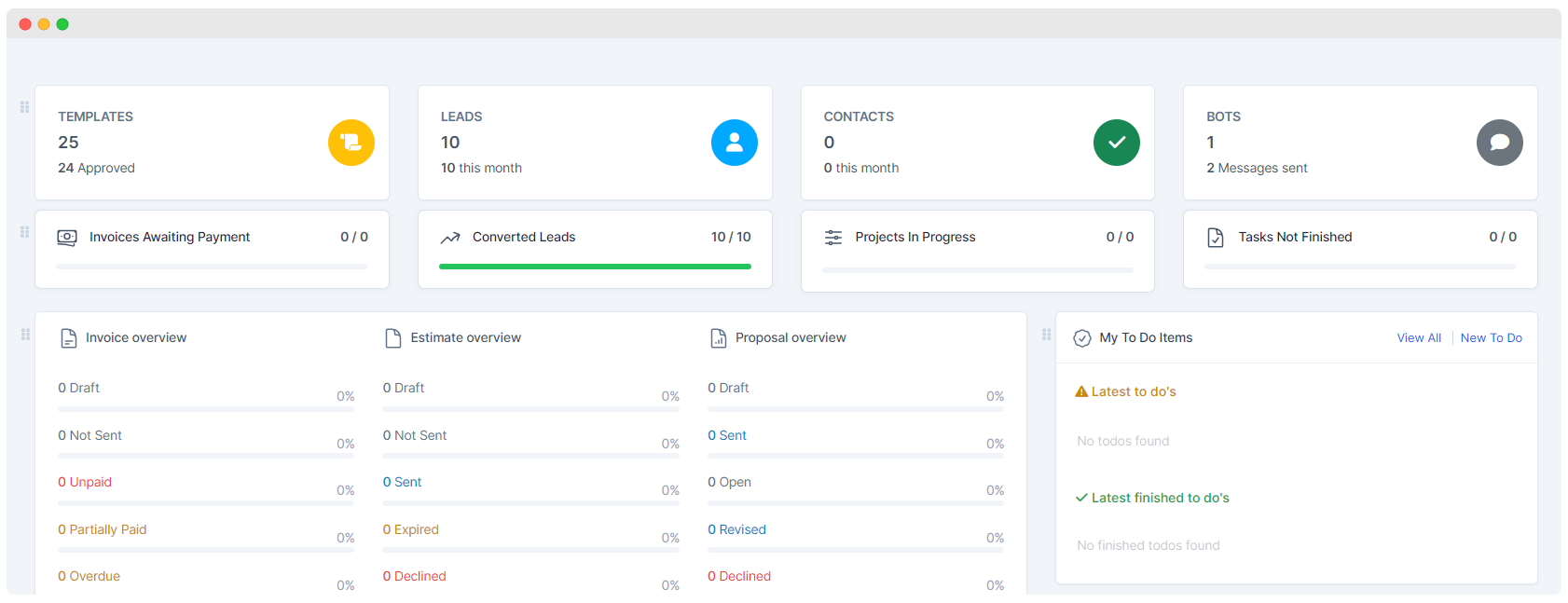
Dashboard
Bot Flow Builder (pre-build)

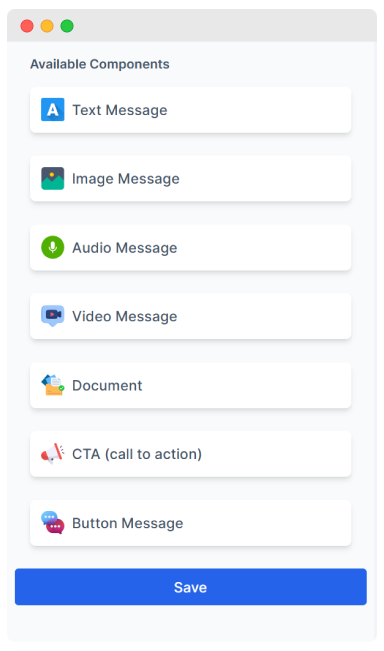
Canned Reply & Custom AI Prompts
Run Campaign through CSV
Installation :
Our online documentation will help you upload
and activate the module inside Perfex CRM.
Questions/Support
We have a dedicated support center for all of your support needs. It includes our Online documentation and Support Ticket system for any questions you have. We usually
get back to you within 12–24 hours.

Change Log
Version 5.0.0 Released
New Features
- Drip Campaigning: Automate template message sequences to nurture leads and engage customers over time with scheduled delivery.
- Product Catalog Integration: Synchronize your WhatsApp product catalog with the CRM to manage products seamlessly and receive customer orders directly.
- CRM Event Triggers: Automatically send pre-approved template messages triggered by key CRM events such as creation, update, or deletion.
- Template Creation: Create and manage reusable message templates efficiently.
- Agent Routing: Improve response times by automatically assigning incoming chats to the most appropriate agents based on configured rules.
- Internal Notes: Enhance team collaboration by adding private internal notes within conversations that are only visible to staff.
- Message Reactions: Better understand customer sentiment by receiving and displaying message reactions directly within conversation threads.
- Location Request: Effortlessly collect customer locations through automated location request messages within the bot.
- Contact Request: Share predefined contact details with customers or leads on demand using automated bot responses.
- Catalog Request: Allow customers to explore your product offerings by requesting catalogs via trigger keywords.
- Receive Contact Messages: Streamline lead management by handling and storing incoming shared contact details efficiently within the system.
- Frequently Forwarded Indicator: Gain better context on incoming messages with indicators for content that has been frequently forwarded.
- Typing Indicator: Create a more natural interaction experience by displaying a “typing…” status on the recipient’s device.
- Auto-Reply Outside Business Hours: Maintain 24/7 engagement by automatically responding to messages received outside of configured business hours.
Improvements
- Sidebar Menu: Refined sidebar navigation for improved usability and faster access to core module features.
- Template Creation: Enhanced management interface for creating and organizing reusable message templates more efficiently.
Bug Fixes
- WhatsApp Flow Templates: Resolved an issue where response previews for WhatsApp Flow templates were not displaying correctly.
Version 4.0.0 Released
New Features
- eCommerce Webhook support: allowing you to connect your eCommerce platform (such as WooCommerce, Shopify, Salla, or any other webhook-supported system) with WhatsBot.
- Opt-in/Opt-out Support: Added user opt-in and opt-out management for better compliance and user control.
Improvements
- Chat Optimization: Enhanced chat performance for faster message handling and smoother interactions.
- Settings Layout Update: Redesigned settings layout for better usability and clearer navigation.
- AI Assistant Enhancements: Completely redesigned AI Assistant with full integration to OpenAI (OpenAI key is required).
- Requires an OpenAI API key with proper permissions to function.
- Delivers highly accurate responses based on your prompts and instructions.
- Offers smoother and more intelligent interactions.
Bug Fixes
- AI Dropdown Layout Fix: Resolved a layout issue affecting the AI Assistant dropdown UI.
- Random Module Deactivation: Fixed a critical bug that caused modules to randomly deactivate unexpectedly.
Version 1.3.1 (Patch version) 12th-sept-2024
Improvements & Bug Fixes
- Merge-field Parsing Issue: Fixed an issue with mergefield parsing in the chat area, ensuring accurate data display.
- Permissions Issue: Resolved permission issues for non-admin users, allowing proper access to features.
- Chat Layout: Made minor adjustments to the chat layout for improved user experience.
- Bot Flow Builder: Implemented minor fixes and improvements to enhance the Bot Flow Builder’s functionality.
Latest Version 1.3.0 Released on 12th-sept-2024
Click
HERE to view the ChangelogImprovements & Bug Fixes
- New Chat Layout: Introduced a revamped chat layout, enhancing user experience with a more
intuitive and visually appealing interface. The new design improves navigation and accessibility during
conversations.New Features
- Bulk Campaign Sending through CSV: Send bulk campaigns directly from a CSV file for
efficient targeting without entering unnecessary lead entries in the database, avoiding unnecessary database
entries.- Canned Reply in Chat: Implemented canned replies in chat, enabling users to quickly respond
to common inquiries with pre-set messages. This feature saves time and ensures consistent communication.- Custom AI Prompts in Chat: Added the ability to create and use custom AI prompts within
chat. This feature allows users to tailor AI responses to specific needs, providing more personalized and
context-relevant interactions.- Bot Flow Builder (beta & pre-build): Create and automate complex chat interactions
effortlessly with the intuitive, drag-and-drop Bot Flow Builder, enabling seamless conversation design and
automated responses.- (New) Dynamic Merge Field Support: Easily personalize messages by adding dynamic merge
fields directly in the chat.- (New) inline message reply feature: allowing users to respond directly to specific messages
within a conversation. This enhances communication clarity by providing context to replies, making
conversations more organized and easier to follow
Version 1.2.0
Improvements & Bug Fixes
- Exception Handling: Added handling for missing template permissions in the meta account.
- Message Bot Display: Resolved display issues in live chat.
- File Upload: Fixed errors caused by spaces in filenames.
- Client Merge Fields: Corrected merge field issues in the message bot.
- Template Bot Replies: Fixed bot triggering via button replies.
- Webhook Resend: Implemented dynamic request types.
- Templates Table: Enhanced to display template header format.
- Chat Layout: Updated colors to distinguish contacts and leads.
- 12-Hour Time Format: Fixed chat time display to 12-hour format.
- Time-Based Alert: Added alerts for 24-hour timeouts based on timezone.
- Chat Redirection: Fixed chat redirection issue with duplicate phone numbers.
- Campaign Messages: Resolved display issues for multiple contacts in campaigns.
New Features
- Emoji Picker in Live Chat: Introduced an emoji picker to enhance user interaction during
live chat sessions. Users can now easily access and use a wide variety of emojis to enrich their
conversations.- AI Chat Feature: Added an AI-powered chat feature leveraging OpenAI’s capabilities. This
feature includes functionalities such as sentence correction, grammar checking, professional reply
generation, and language translation, providing users with powerful tools for effective and versatile
communication.- Document Type Feature: Introduced a document type feature, allowing users to send and
manage documents within the template bot, campaigns, and message bot, streamlining document-related
workflows.
Version 1.1.0
- Assign Support Agents: Assign specific support agents to leads or customers for
personalized assistance.- Multiple Trigger Keywords: Support for multiple trigger keywords for both the message bot
and template bot, allowing more flexible automation.- Bot Clone Feature: Easily clone bots to streamline the setup of similar bots.
- Delete Individual Chat: Delete individual chat messages for better chat management.
- Welcome Message on Any Keyword: Send a welcome message when any specified keyword is
detected.- Sound Notification on New Message: Receive a sound notification whenever a new message
arrives.
Latest Version 1.0.1
- Improved Compatibility: Enhanced integration with third-party modules for a more seamless
user experience.- Fixed Audio Recording Issue: Resolved the issue where audio notes recording was not working
in certain browsers on the interactive chat screen.- Activity Log Management: Added an option to delete or clear individual activity log entries
for better log management.- General Enhancements:Various optimizations and enhancements to ensure overall stability and
performance of the plugin.
Version 1.0
- Initial version
Notes:
CONSIDERING PURCHASING OUR ITEM? Please view our support section, documentation, for important notes
and questions.
WhatsBot is an add-on for Perfex CRM that connects customer communication with WhatsApp. It lets teams run message campaigns, send templates and notifications, manage live chats, capture leads from incoming messages, and route conversations to support staff. It also includes automated replies, chatbot flows, canned responses, and AI-assisted writing tools such as reply drafting, translation, and grammar help. It is for businesses, sales teams, and support teams that already use Perfex CRM and want to handle WhatsApp marketing and customer conversations from the CRM.