

Description
Calorist is a cross-platform Flutter mobile application (iOS & Android) for tracking calories
and nutrition with AI-powered food logging. Built for the health & fitness market, it combines a polished
native mobile UI with a production-ready Laravel admin panel backend, Firebase Remote Config, and
Google Gemini AI.
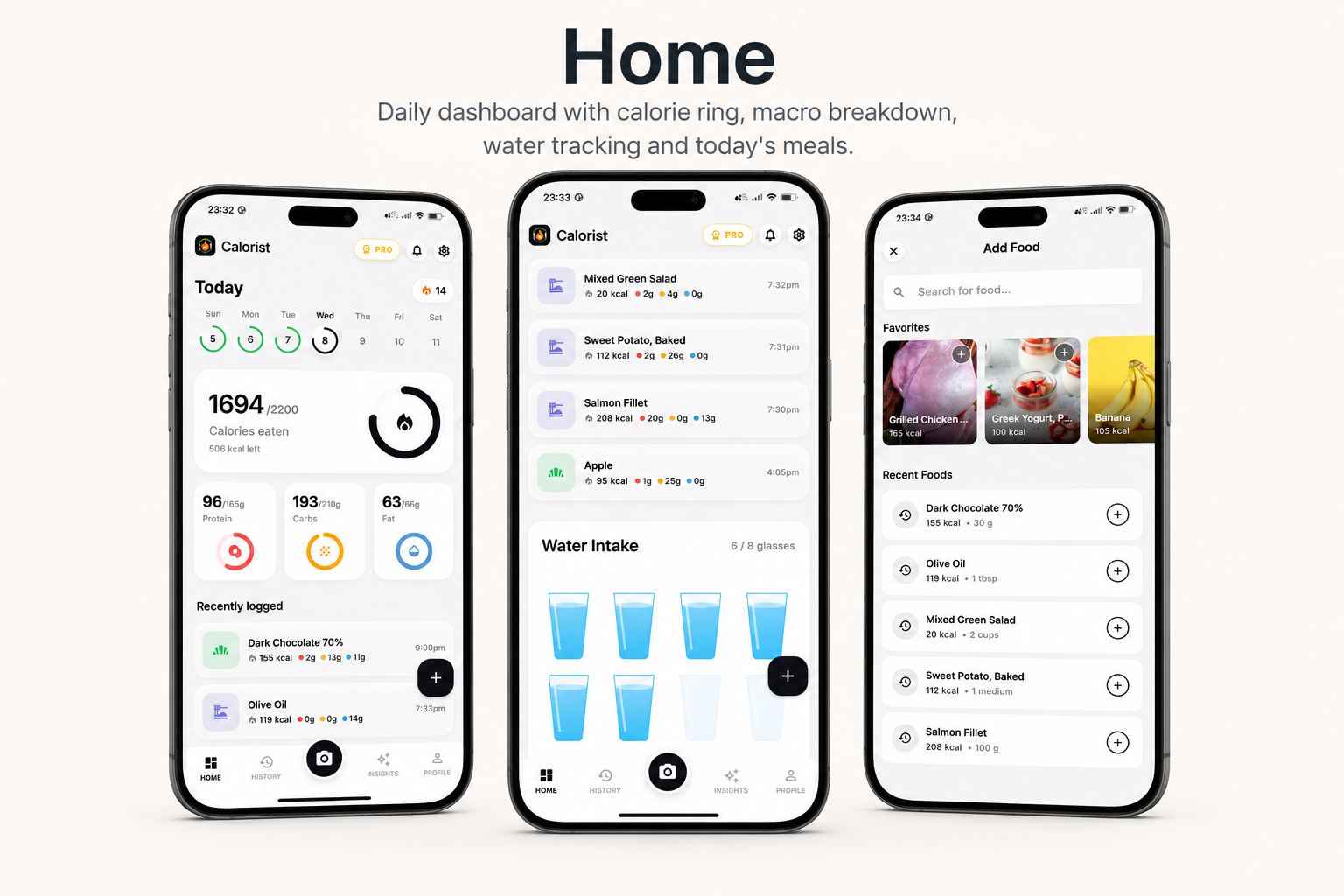
The app is organized around five main tabs — Home, History, a
center Scan button, Insights, and Profile — giving users a complete
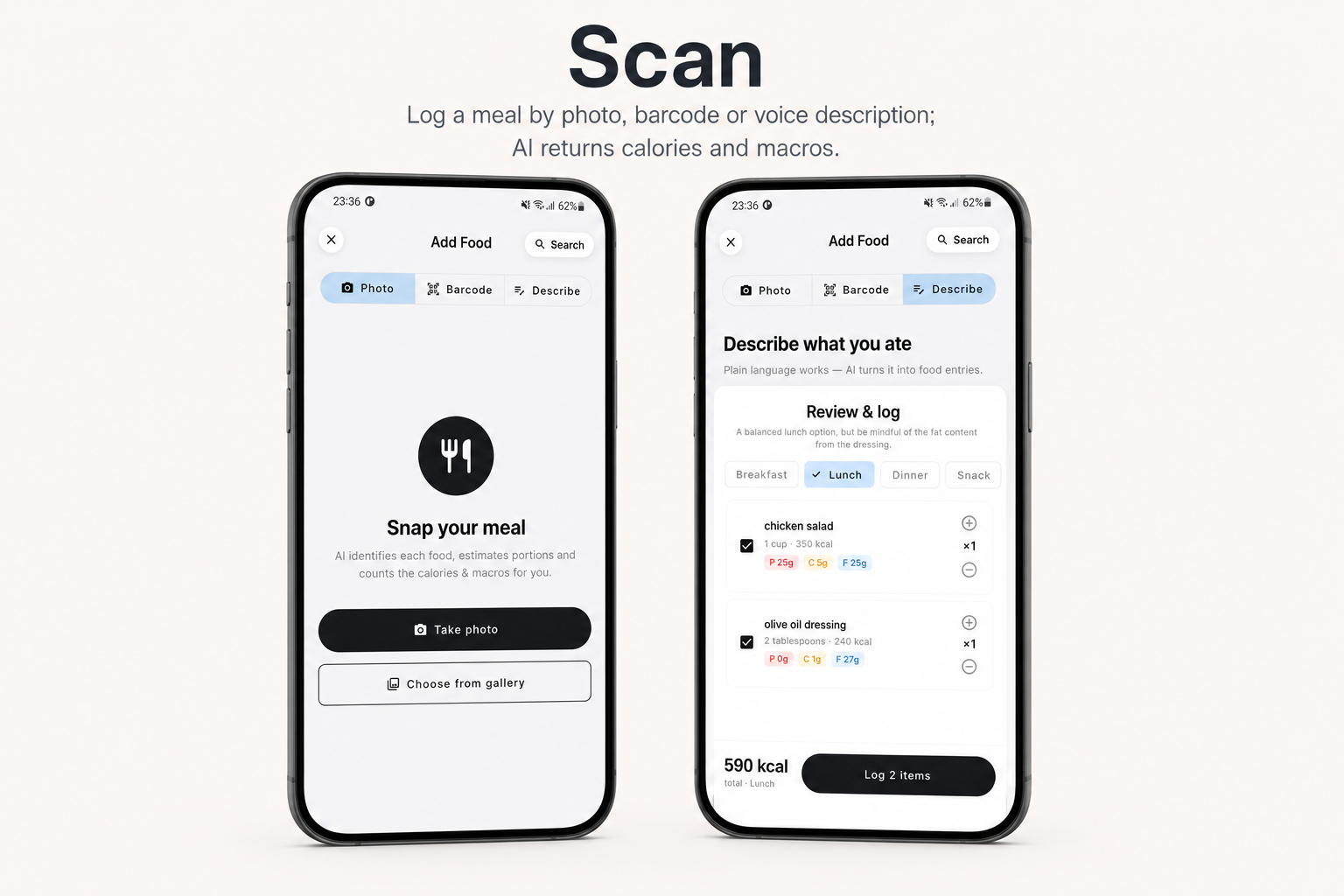
workflow from logging a meal to understanding their trends. Snap a photo of a plate, scan a barcode, or just
describe a meal by voice — the AI returns calories and macros (protein, carbs, fat) in seconds. Daily goals,
a calorie ring, water tracking, and an AI nutrition coach keep users on track.
Key Value Propositions
- For End Users: Log food three ways — snap a photo, scan a barcode, or describe a meal by
voice or text; get instant calories & macros; track daily goals with a calorie ring and water intake;
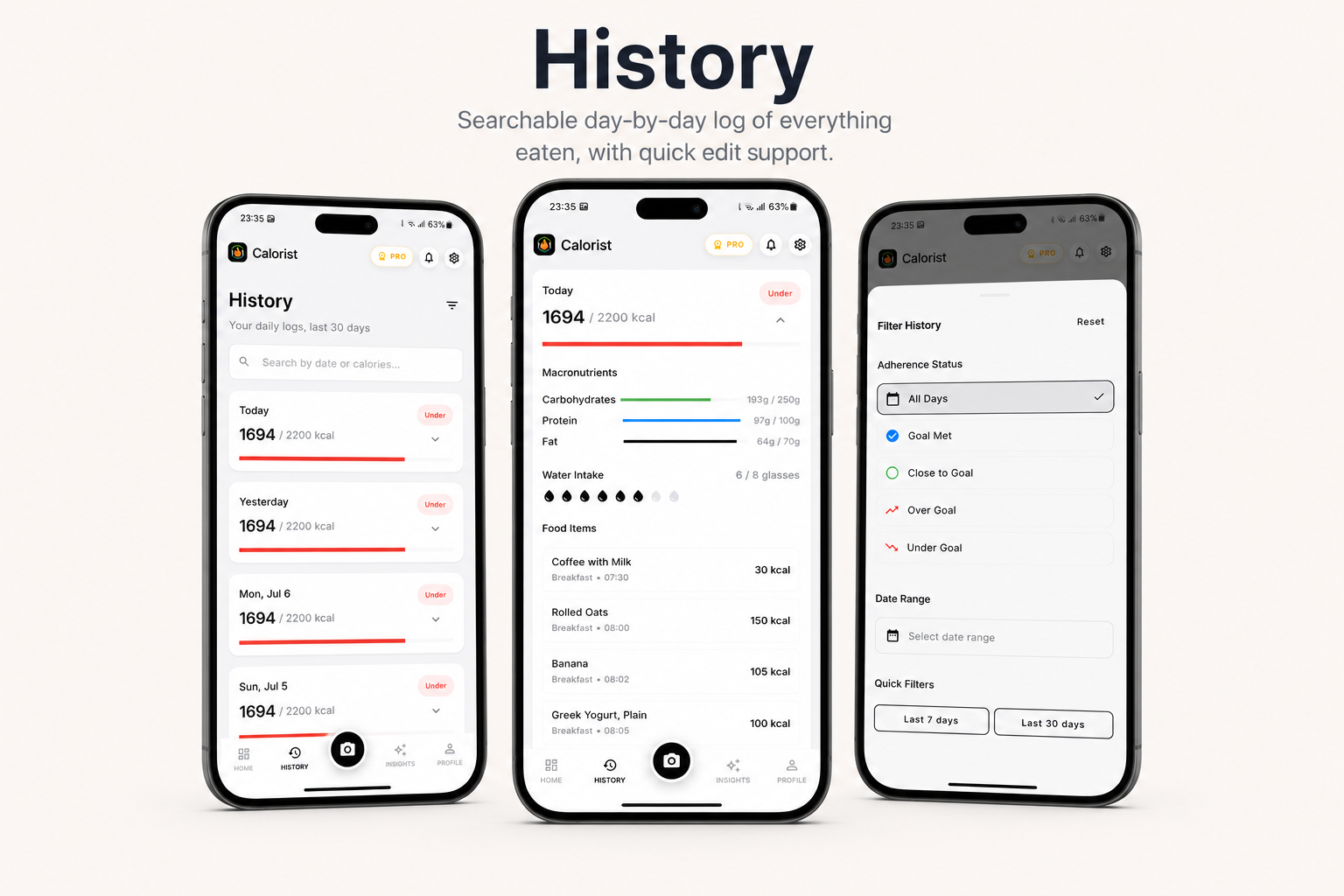
review your full meal history; and see personalized trends and AI coach tips in Insights. - For Health-Conscious Users: Set personalized daily calorie and macro targets, track
progress against goals, browse a searchable food history, and get an AI-generated weekly summary of your
nutrition patterns. - For App Owners / Developers: A complete, monetizable mobile product with subscription
support, multiple color themes, onboarding layouts, paywall variants, push notifications, ads, analytics,
and remote configuration — all without rebuilding the AI food-logging pipeline from scratch.
AI Usage Disclosure
This item uses AI as a core feature. The app’s main functionality relies on third-party generative AI
services to turn what you eat into nutrition data:
- Meal photo analysis: powered by Google Gemini (Gemini 2.5 Flash vision model) — detects
foods in a photo and estimates calories and macros. - “Describe a meal” (voice & text) logging: powered by Google Gemini (Gemini 2.5 Flash-Lite)
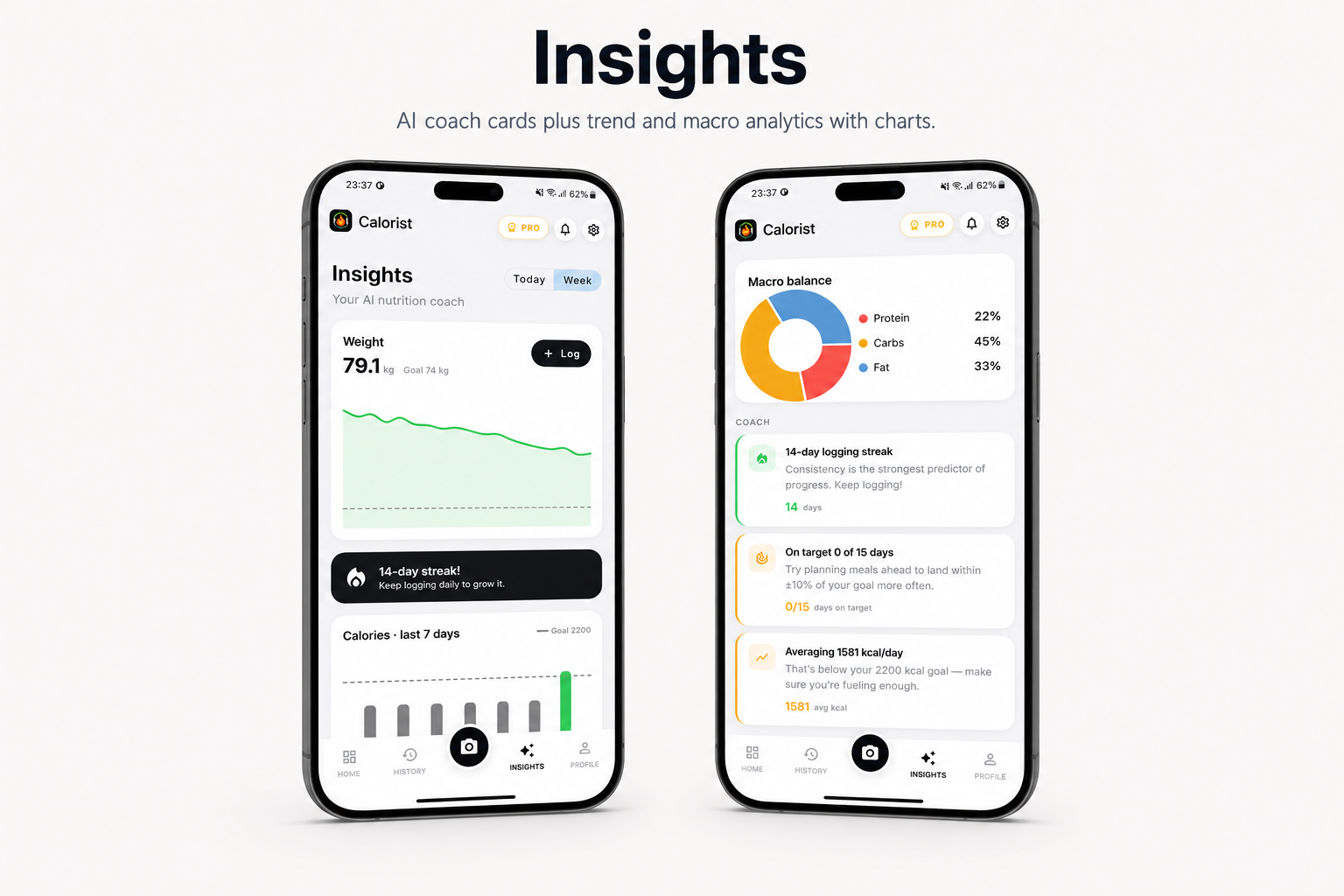
— parses a natural-language meal description into structured foods and nutrition. - Nutrition insights & AI coach cards: powered by Google Gemini — generates personalized tips
from your recent logs.
All calorie estimates, macro breakdowns, and coach tips created inside the app are AI-generated content
produced by these services and are approximate — they are not medical or dietary advice. Barcode lookups are
not AI: nutrition for packaged products comes from the public OpenFoodFacts database. The application source
code itself was written and is maintained by our team. To use the AI features, you must create your own
Google Gemini (Google AI Studio) account and supply your own API key (see the Disclaimer below).
Disclaimer
This app is built to work with a Laravel admin panel backend (database, auth, API, and AI proxy) and
the following third-party services: Google Gemini (AI food analysis & insights),
Firebase (Remote Config, Analytics, Crashlytics), RevenueCat (subscriptions),
OneSignal (push), and optional AdMob ads. Barcode lookups use the public
OpenFoodFacts catalog. These backend services are not included in the purchase — you will need to
create your own accounts, configure API keys, and manage hosting and AI usage costs yourself. Basic familiarity
with Firebase, Laravel, and mobile store setup is recommended before launching.
Admin Panel Demo
Try the live Laravel admin panel:
https://calorist.laravelbeginner.net/en/dashboard
Email: admin@calorist.test
Password: password
Important Notice to Our Valued Customers
What’s Included
- Full Flutter application source code (
calorietracker) - Laravel admin panel backend for AI food analysis, insights, account management, and RevenueCat webhooks
- Complete database schema and migrations for the Laravel backend
- 7 built-in app color themes and 7 onboarding layout variants
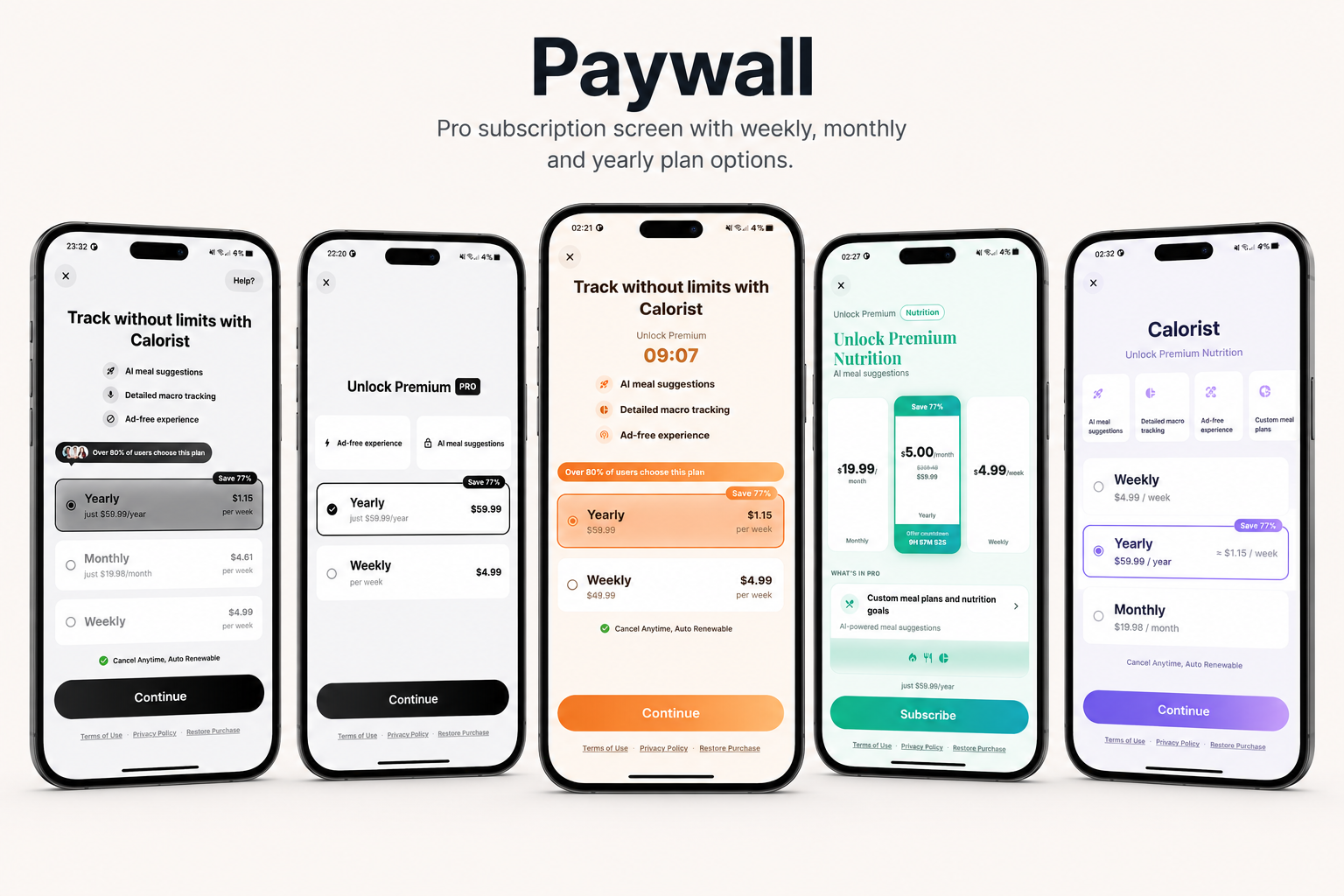
- 7 paywall layout variants
- 12-language localization (ar, de, en, es, fr, it, ja, ko, pt, ru, tr, zh)
- Complete detailed documentation on how to set up the app — including Firebase, Laravel, Gemini,
RevenueCat, and App Store / Google Play configuration
Key Features
- AI Photo Logging: Snap a meal photo — Gemini vision returns foods, calories, and macros.
- Barcode Scanning: Scan a product barcode and pull nutrition from OpenFoodFacts.
- Describe a Meal: Type or speak a meal (“2 eggs and toast with butter”) — AI parses it into a log.
- Home Dashboard: Daily calorie ring, macro breakdown, water tracking, and today’s meals.
- History: Searchable, day-by-day log of everything you’ve eaten with quick edits.
- Insights: AI coach cards plus deterministic trend and macro analytics with charts.
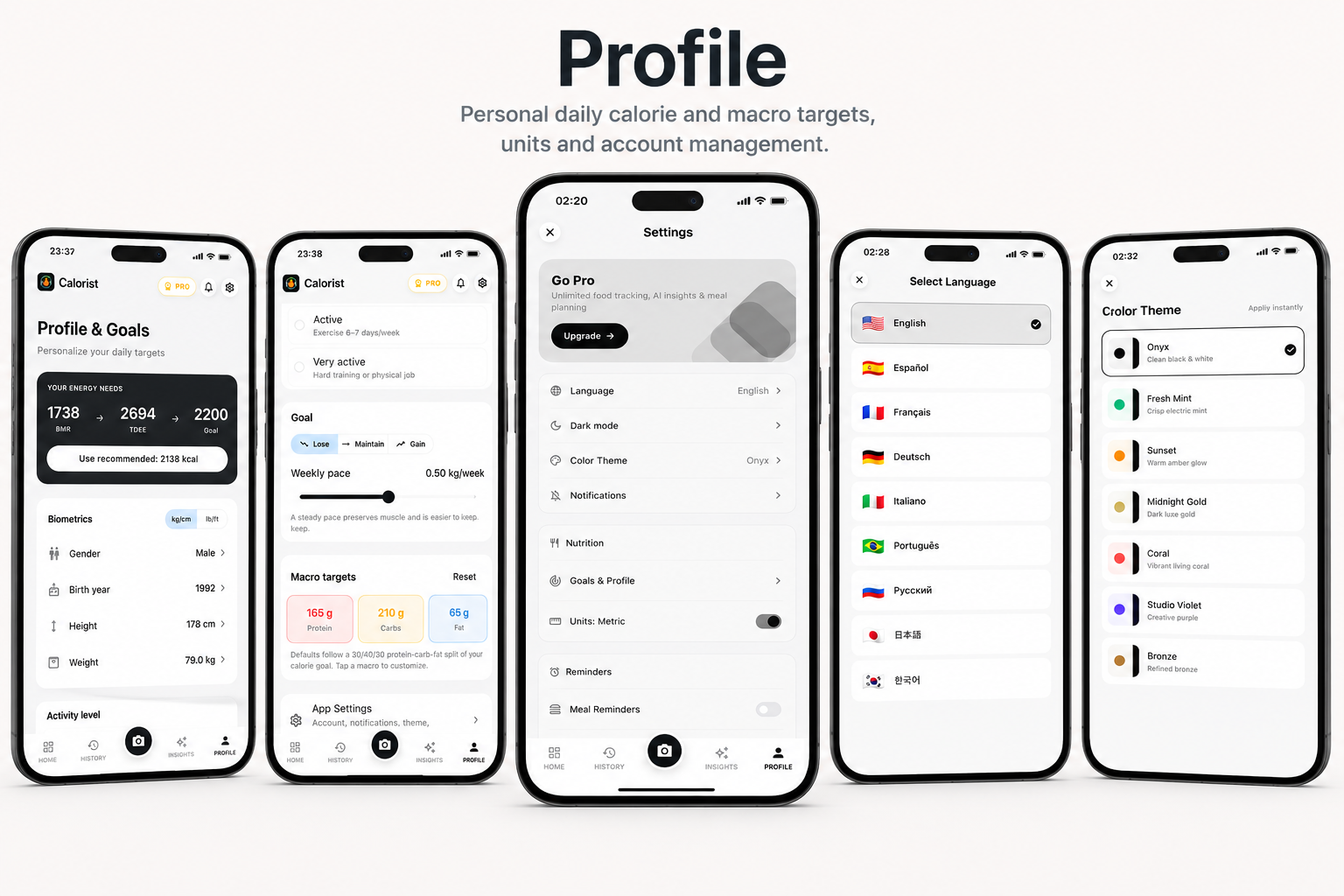
- Profile & Goals: Personalized daily calorie and macro targets, units, and account management.
- Subscriptions: Weekly/monthly/yearly plans via RevenueCat with free trials and discount offers.
- User Accounts: Quick anonymous start with optional Google, Apple, or email sign-in.
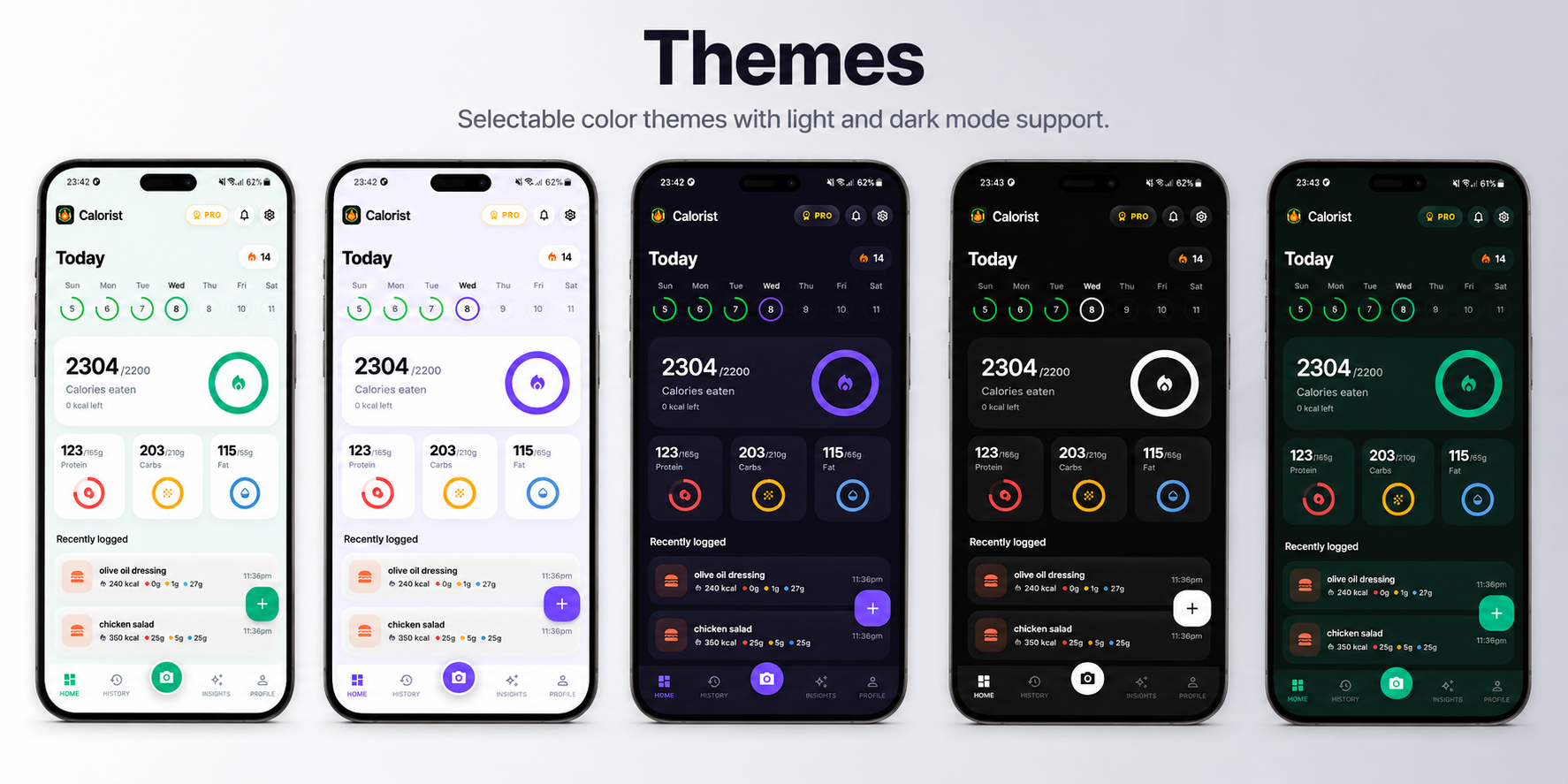
- Settings & Personalization: Light/dark theme, 7 color presets, and 12 languages.
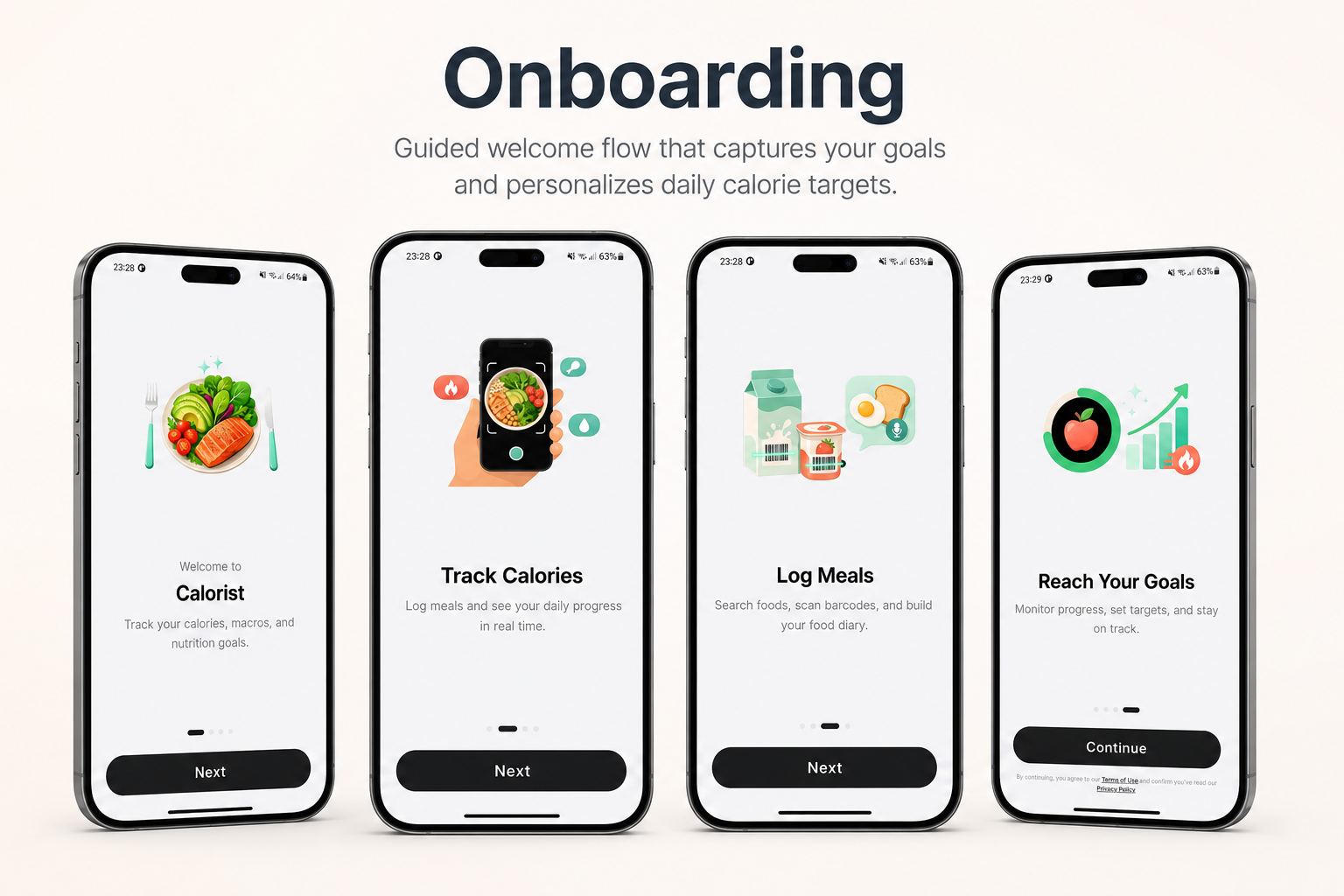
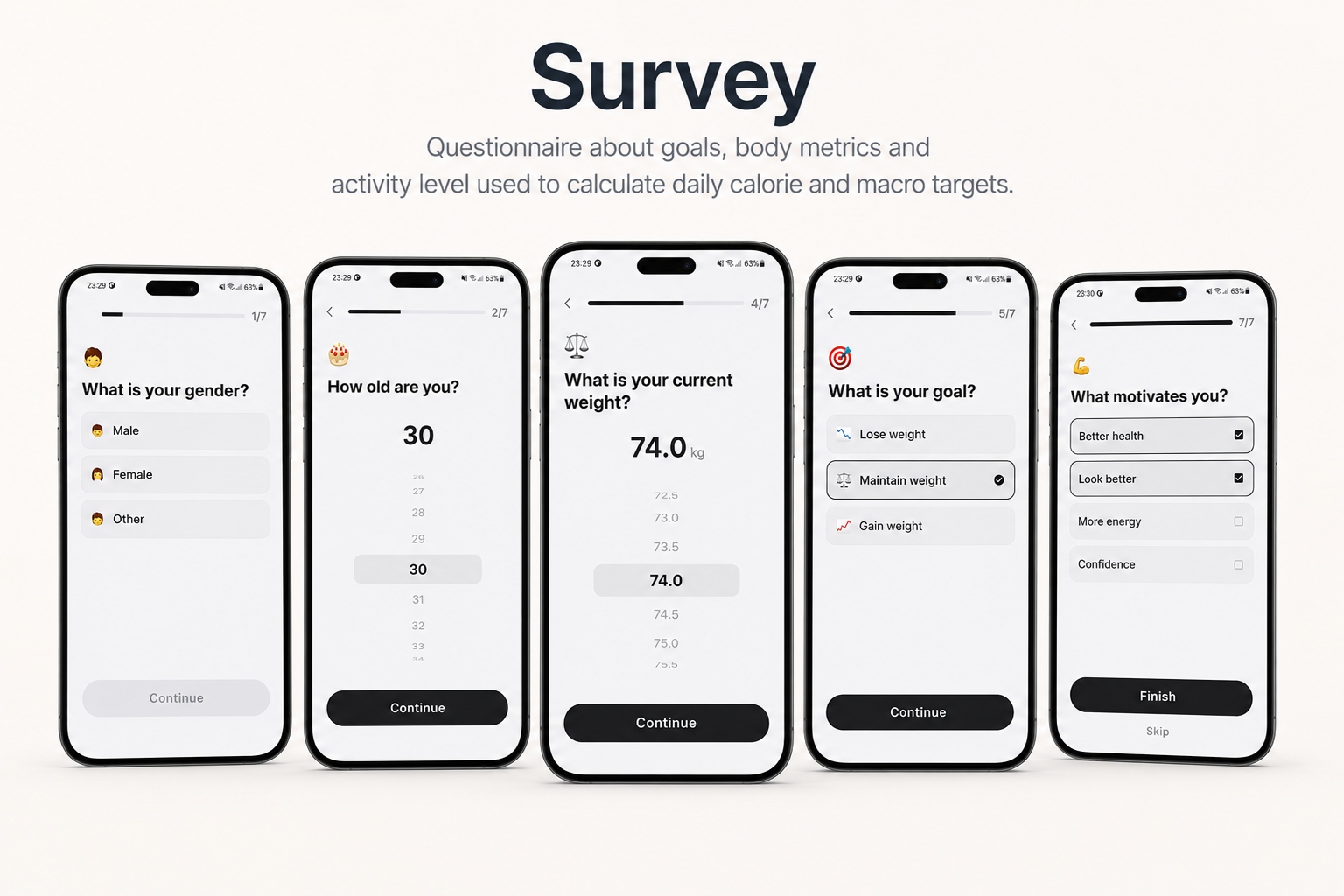
- Onboarding: Guided welcome flow that captures goals and personalizes daily targets.
- Monetization Ready: Recurring subscriptions, AI usage limits, 7 paywall layouts, AdMob ads, and conversion analytics built in.
We are actively improving this app to make it stand out in the calorie & nutrition tracking space. Feel
free to send feature requests via email — together we can make an awesome product.
We are committed to building a reliable and continuous business system, with your satisfaction and the success of this product as our top priorities. Your feedback is crucial, and we encourage you to share any bugs, suggestions, or new feature ideas. Your input directly supports our ongoing improvement and innovation.
We’re here to help — feel free to contact us anytime via the CodeCanyon messaging system. Thank you for being part of our journey.
Warm regards,
The Morningstarcode Team