

The Technology Behind AI Photo Upscaling
At the heart of AI photo upscaling lies refined deep learning algorithms trained on vast datasets of images. These models, often based on convolutional neural networks (CNNs), analyze the low-resolution input and predict plausible high-frequency details that are missing. By learning the intricacies of textures, edgesand patterns from millions of images, the AI is capable of enhancing sharpness and clarity, sometimes generating new content that wasn’t originally there. This process involves two primary stages: feature extraction,where the model identifies key elements in the image,and feature synthesis,where it reconstructs a higher-resolution output that appears natural and detailed.
- Neural Networks: Enable pattern recognition to infer missing details.
- Generative Adversarial Networks (GANs): Compete internally to produce sharper, more realistic images.
- Super-Resolution Techniques: Enhance pixel density while preserving edge integrity.
| Technology | Function | Benefit |
|---|---|---|
| Deep CNNs | Extract image features | Detects edges and textures accurately |
| GANs | Generates high-frequency details | Makes images look natural and sharp |
| Residual Blocks | Keeps details from original images | Prevents loss of significant features |
One of the revolutionary aspects of AI photo upscaling is its ability to “invent” details that were not captured in the original low-resolution image.This invention is based on learned correlations within vast image repositories,allowing the AI to fill in gaps with statistically probable textures and shapes. Though, this creativity comes with an critically important caveat: while sharper and frequently enough visually stunning, the upscaled result is sometimes an approximation or enhancement rather then a perfectly faithful reproduction, which is crucial for applications requiring absolute image fidelity. The balance between magnifying existing information and fabricating new details is what defines the cutting edge of AI-enhanced image processing.
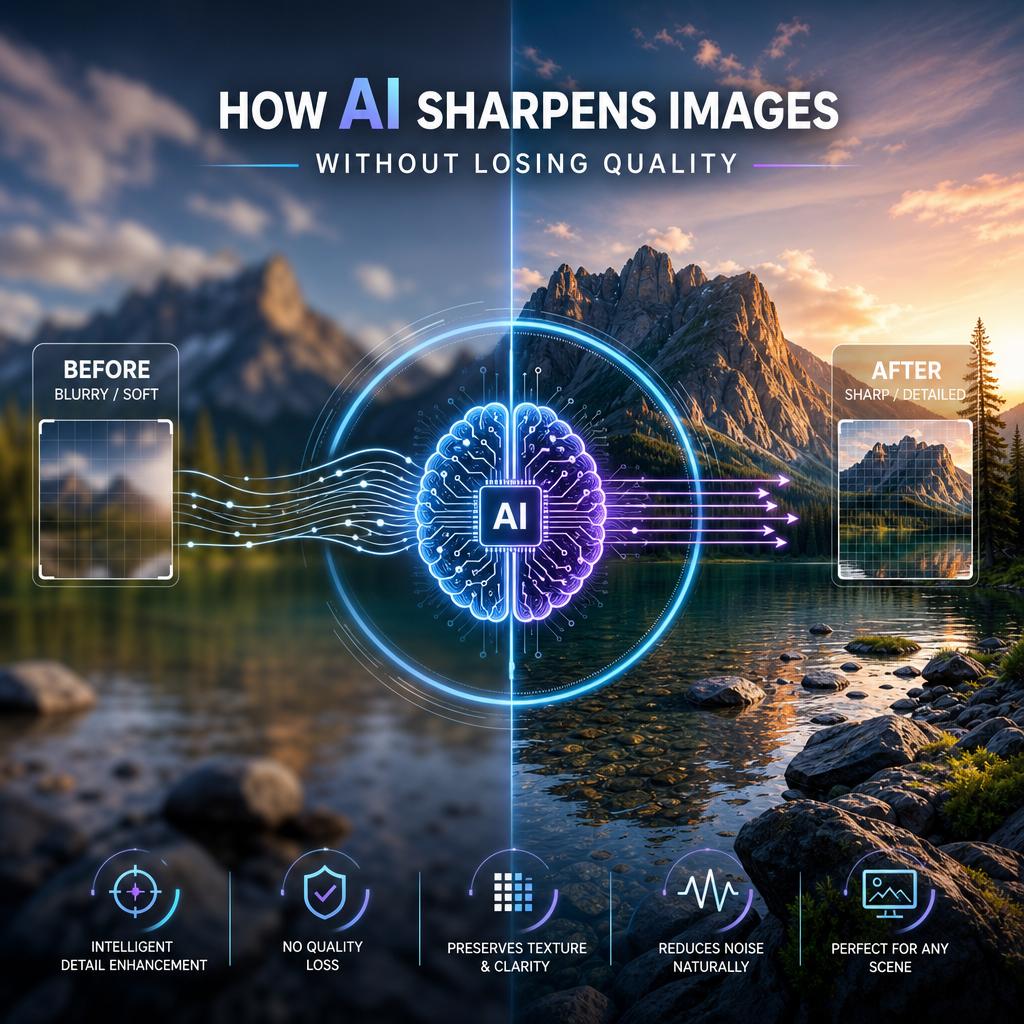
How AI Sharpens Images Without Losing Quality
At the core of AI’s ability to enhance photos lies advanced neural networks trained on massive datasets of images. These networks analyze the existing pixels, extrapolating and predicting the most plausible details that should appear when enlarging an image. Unlike customary upscaling techniques, which simply stretch pixels and cause blurriness or pixelation, AI uses complex algorithms to reconstruct textures, edgesand fine features with remarkable clarity. This process involves pattern recognition and contextual awareness, allowing the AI to sharpen images while maintaining-and often improving-the original quality.
Several machine learning approaches work in tandem to achieve this effect. These include:
- Super-Resolution Networks: These models generate high-resolution images from low-resolution inputs by guessing missing information.
- Detail Enhancement Algorithms: AI accentuates edges and textures by amplifying subtle contrasts within the image.
- Noise Reduction Filters: Intelligent denoising prevents the loss of sharpness commonly caused by smoothing.
| technique | Benefit | role in AI upscaling |
|---|---|---|
| super-Resolution | Higher detail restoration | Predicts plausible pixel data for enlarged images |
| Edge Enhancement | Improved overall sharpness | Highlights contours and textures |
| Denoising | Cleaner, noise-free output | Preserves sharpness without artifacts |
The Role of AI in Inventing Visual Details
Artificial intelligence has revolutionized the way images are enhanced by going beyond mere pixel enlargement. Instead of simply stretching an image, AI algorithms analyze the visual information and generate new pixels that align with the original content. This capability allows for the creation of sharp edges, texturesand even subtle details that were not explicitly present in the low-resolution source. Through deep learning and neural networks trained on vast datasets, AI infers what elements should exist based on patterns recognized in similar imagery, effectively filling in gaps with plausible detail.
The process involves multiple stages, including noise reduction, edge refinementand color correction, all tailored to elevate image clarity. Though, this inventive quality of AI can be a double-edged sword:
- Enhanced realism: AI-generated details frequently enough improve the perceived realism of images, making them more usable in professional and creative fields.
- Invented artifacts: Sometimes the algorithm might introduce elements that weren’t in the original scene, which could mislead or distort the true representation.
- Contextual intelligence: Effective AI models account for context, ensuring detail generation is consistent with the image’s intended subject matter.
| AI Role | Impact on Resolution | Risk Factor |
|---|---|---|
| Detail Synthesis | Creates new visual elements | May invent inaccurate details |
| Noise Reduction | Removes grain for clarity | Can slightly blur fine texture |
| Edge Enhancement | Defines shapes sharply | Occasional over-sharpening artifacts |
Best Practices for Using AI Upscaling Tools Effectively
To maximize the benefits of AI upscaling, it is crucial to start with the best possible source image. High-quality inputs reduce the chance of the AI inventing inaccurate or unwanted details. Before enhancement, clean the image using noise reduction or minor retouching tools. this preparation helps the AI focus on sharpening real details rather than amplifying imperfections. Additionally, experiment with different AI models since some are specialized in texture refinement while others prioritize overall sharpness. Choosing the right algorithm for your specific type of image can significantly affect the outcome.
Implementing a balanced approach to upscaling ensures both visual appeal and authenticity.Avoid pushing the resolution too far beyond the original as extreme upscaling often leads to artificial artifacts and over-smoothing. Instead, consider incremental upscaling steps combined with manual post-processing in professional software to retain natural textures. Below is a concise guide for effective AI upscaling usage:
| Best Practice | Benefit |
|---|---|
| Use clean, High-Resolution Originals | Reduces error in detail creation |
| Choose AI Models suited for Image Type | Optimizes detail reconstruction |
| Apply Gradual Upscaling | Maintains natural appearance |
| Complement with Manual Refinement | Corrects artifacts and enhances realism |