

The Role of Artificial Intelligence in Modern Calendar Management
Artificial intelligence has revolutionized the way we approach calendar management, transforming it from a manual, error-prone task into a seamless, automated process. today’s AI-powered tools go far beyond simple scheduling by intelligently analyzing your preferences,past habits,and priorities to optimize meeting times and minimize conflicts. By leveraging natural language processing and machine learning, these systems can interpret and convert vague requests like “schedule a meeting next week” into precise calendar entries without human intervention. This not only saves time but also ensures you never miss a crucial appointment due to human oversight.
Beyond scheduling, AI excels in providing concise meeting summaries and follow-up prompts that keep projects moving forward efficiently. Features often include:
- Automated meeting transcription and highlight generation to capture key decisions and action items.
- Smart follow-up reminders that track assigned tasks and deadlines.
- Integration with dialogue platforms to streamline updates and reduce email overload.
| AI Feature | Benefit | Example Tools |
|---|---|---|
| Natural Language Scheduling | Quick, hands-free event creation | Google Assistant, Clara |
| meeting summarization | Save time reviewing important notes | Otter.ai, Fireflies |
| Follow-up Automation | Ensures task accountability | AfterPattern, Superhuman |
incorporating AI into calendar workflows fundamentally elevates productivity, enabling users to focus on decision-making rather than administrative overhead.
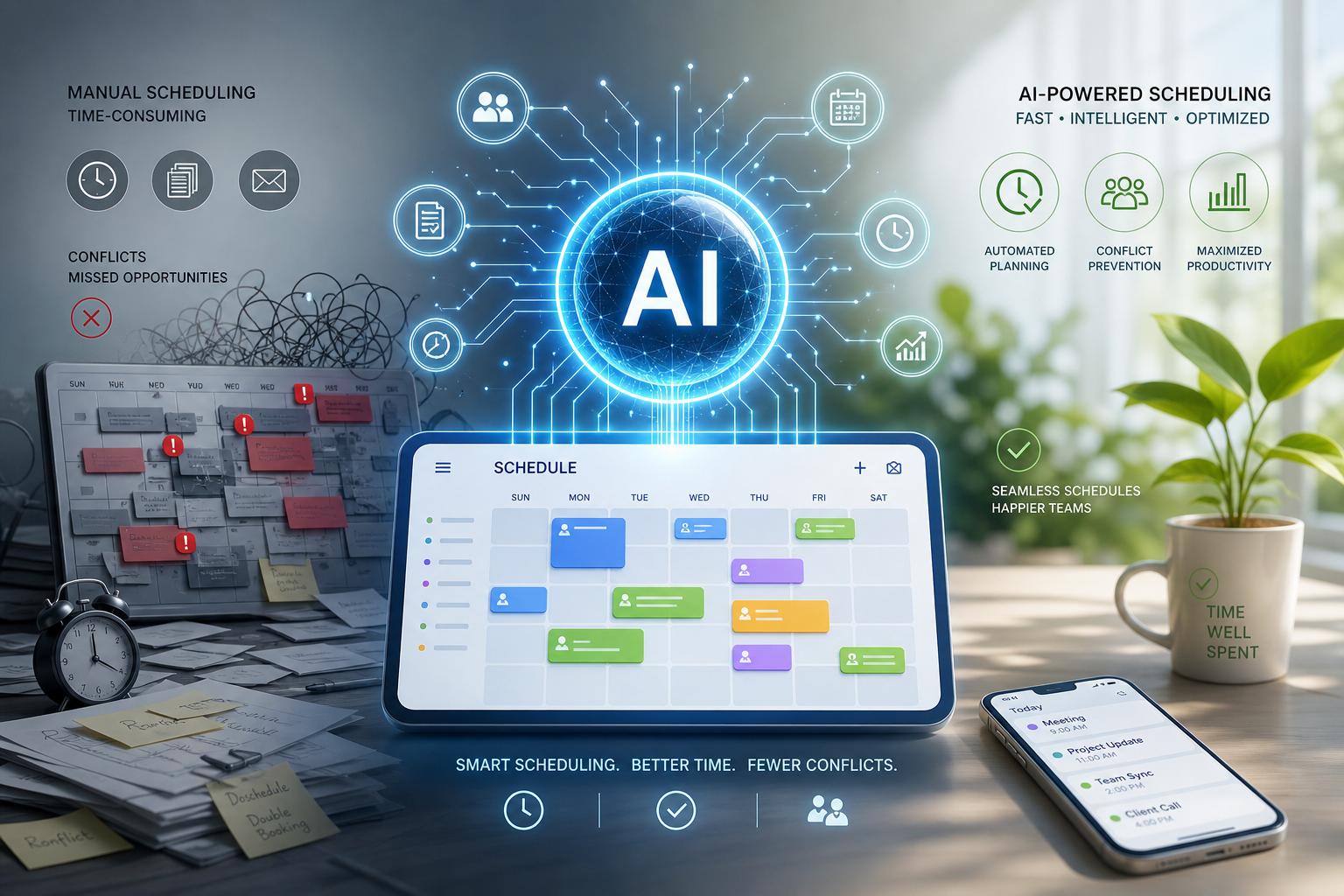
How AI Enhances Scheduling Efficiency and Reduces Conflicts
artificial Intelligence dramatically optimizes calendar management by analyzing patterns and preferences, allowing it to suggest the most suitable meeting times automatically. This eliminates the tedious back-and-forth typically involved in scheduling. AI can integrate multiple calendars, considering time zones and work hours, which reduces overlaps and prevents double bookings. Furthermore, it continuously learns from user behavior to adapt and improve its recommendations, ensuring a personalized scheduling experience that aligns perfectly with individual priorities.
Beyond appointment setting, AI enhances efficiency by generating concise summaries and actionable follow-ups after meetings. This functionality not only saves time but also ensures critical information isn’t lost in lengthy discussions. Key benefits include:
- Conflict detection: Real-time alerts prevent scheduling clashes before thay happen.
- Priority management: AI assesses meeting urgency and importance to allocate time effectively.
- Context-aware notifications: Tailored reminders keep users on track without overwhelming them.
| Feature | Impact on Efficiency | User Benefit |
|---|---|---|
| Automatic Rescheduling | Minimizes downtime between meetings | Less manual adjustment, smoother calendar flow |
| Smart Summaries | Quick recap of meeting outcomes | Better retention, faster action on tasks |
| Follow-up Automation | Ensures no task is forgotten | Improved productivity and accountability |
Leveraging AI for Accurate Meeting Summaries and Action Items
Harnessing AI technologies transforms the arduous task of manually capturing meeting details into a streamlined, efficient process. By analyzing spoken content in real time, AI-powered tools distill hours of discussions into precise summaries that highlight key decisions, points of consensus, and unresolved issues. These summaries are not only easy to review but also customizable to fit different team needs, whether it’s a quick executive overview or an in-depth project breakdown. such tools often integrate seamlessly with popular calendar and communication platforms, ensuring that important information is easily accessible without toggling between multiple apps.
Beyond just recapping conversations, AI excels in extracting and organizing actionable items, ensuring follow-ups are never overlooked. It can automatically assign responsibilities, set deadlines, and even send reminders based on meeting outcomes. The following table outlines core benefits of AI-driven meeting management that contribute to optimized workflows:
| Feature | Benefit |
|---|---|
| Real-time Transcription | Captures all spoken content accurately |
| Action item Detection | ensures accountability and timely follow-ups |
| Integration with Calendars | Automates scheduling and reminders |
| Customizable Summaries | Caters to different audience needs |
- Improved Focus: Participants engage more deeply without distraction from note-taking.
- Reduced errors: Eliminates the risk of missed or misinterpreted information.
- Time Savings: Speeds up the post-meeting process with instant summaries and task assignments.
Best Practices for Integrating AI-Driven Follow-ups into Your Workflow
Incorporating AI-driven follow-ups into your daily workflow requires a strategic approach to maximize efficiency and maintain a personal touch. Start by customizing your AI settings to align with your communication style and priorities.This ensures follow-up messages resonate as authentic and purposeful rather than automated. Additionally, segment your contacts based on urgency, project importance, or relationship type, so the AI can tailor responses accordingly. Regularly reviewing and refining AI-generated follow-ups helps maintain accuracy and relevance, preventing potential misunderstandings or redundant messaging.
Another essential practice is to integrate AI tools with your existing calendar and task management platforms seamlessly. This integration enables automatic scheduling of follow-ups and prioritization based on deadlines or meeting outcomes. Employ visual dashboards to monitor follow-up status, response rates, and outstanding tasks, helping you stay on top of communications without manual tracking. Consider the table below as a simple framework to categorize follow-up priorities and optimal timing:
| Priority Level | Follow-Up Timing | Recommended Tone |
|---|---|---|
| High | Within 24 hours | concise and Direct |
| Medium | 2-3 days | Friendly and Professional |
| Low | One week or later | Casual and Open-Ended |