

– Understanding the Role of AI in Enhancing Technical Documentation Quality
Artificial Intelligence has revolutionized the way technical documentation is conceived, structured, and maintained. By integrating advanced natural language processing and machine learning techniques, AI tools can analyze large codebases and automatically generate clear, concise, and contextually relevant documentation. This ensures that README files, API references, and user manuals not onyl align precisely with the underlying software but also evolve synchronously as the code changes. The outcome is a notable reduction in human error and inconsistencies, promoting better understanding and adherence too technical standards across development teams.
Furthermore, AI enhances documentation quality through features such as:
- Automated Content Suggestions: Proposing best practices, common usage examples, and troubleshooting tips tailored to the specific code segment.
- Semantic Analysis: Ensuring terminology consistency and clarity by interpreting the meaning behind complex code and technical jargon.
- Adaptive Formatting: Customizing documentation output to suit different audience levels, from novice users to expert developers.
| Key AI Features | Impact on Documentation |
|---|---|
| Context-Aware Summarization | Delivers precise and relevant summaries that mirror software function. |
| Continuous Learning | Improves documentation quality over time with feedback integration. |
| Error Detection & Correction | Identifies inconsistencies and suggests corrections automatically. |
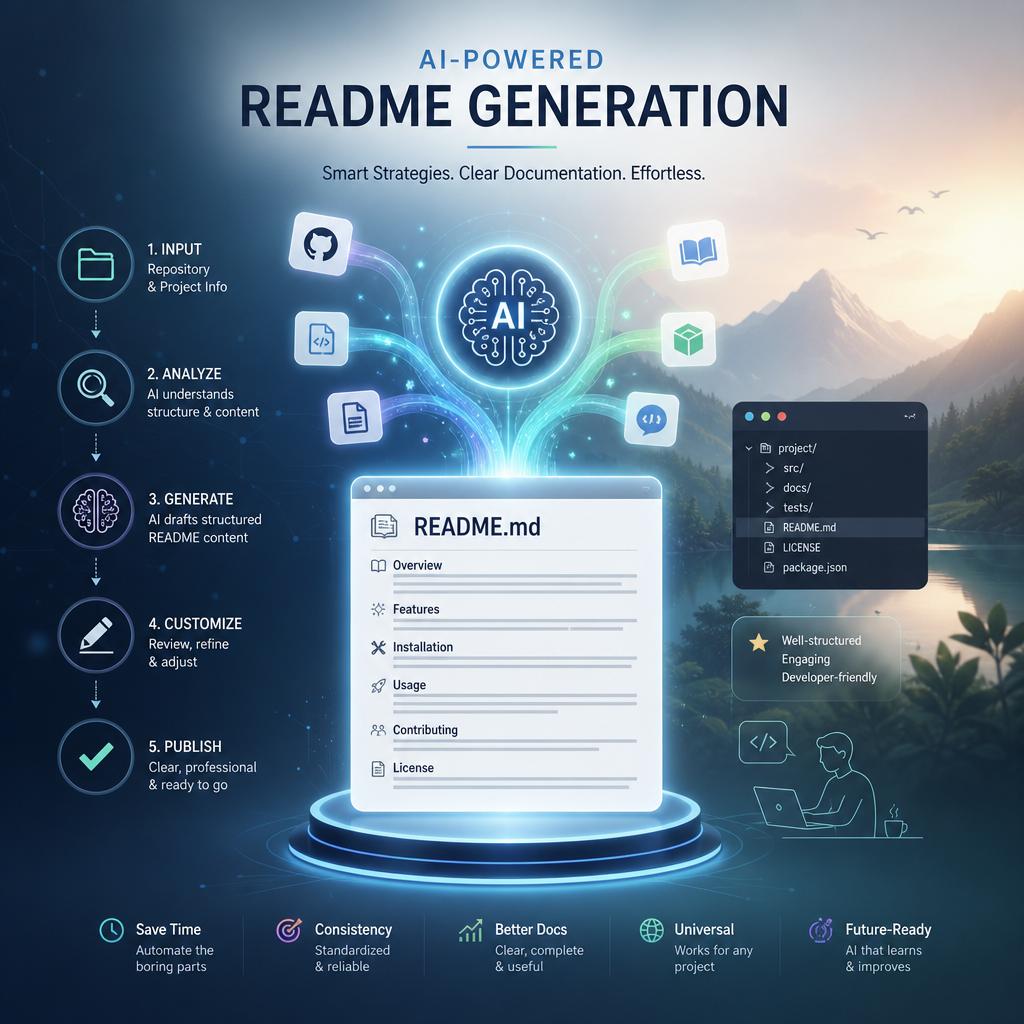
- Strategies for Automating README Generation with AI Tools
To streamline the creation of comprehensive and readable README files, leveraging AI-driven tools can turn tedious documentation tasks into efficient workflows. Start by integrating natural language processing models that interpret your codebase and extract meaningful summaries automatically. These tools analyze function signatures, variable names, and comments to generate contextual explanations, reducing manual input. Adopting version-controlled automation ensures your README stays synchronized with your project’s evolution; every commit can trigger an AI script that updates sections related to newly introduced features or changes.
Consider building a modular automation pipeline with these key components:
- Code Parsing Engines: Extract metadata and docstrings from source files.
- Template AI Writers: Customize tone and structure for consistency.
- Continuous Integration Hooks: Automatically invoke updates on code push.
Here’s a simplified comparison of popular AI-based README automation tools to help tailor your approach:
| Tool | Core Feature | Integration Level | Customization |
|---|---|---|---|
| DocGPT | Code summarization & snippet explanation | High | Template-driven |
| ReadMeGen | Automatic README scaffolding | Medium | Limited |
| AutoDoc AI | Version-aware content synchronization | Very High | Extensive API support |
By combining these elements into an automated workflow, teams can substantially reduce documentation debt while maintaining clarity and professionalism in project READMEs.
– Leveraging Artificial Intelligence to Streamline API Documentation Processes
Artificial Intelligence has revolutionized the way API documentation is created and maintained,enabling developers to save significant time and reduce errors.By integrating AI-powered tools, organizations can automate the generation of comprehensive and accurate READMEs, endpoint descriptions, and usage examples. These tools analyze codebases, detect changes, and produce documentation updates in real time, ensuring that technical references are always synchronized with the latest version. Additionally,AI-driven natural language processing enhances clarity by transforming complex code snippets into easily digestible language,which accelerates onboarding and fosters better collaboration between teams.
Key advantages of leveraging AI for API documentation include:
- Automated extraction of parameters, headers, and response formats
- Consistent style and terminology across all documentation components
- Bright suggestions for improving code clarity and usage instructions
- Dynamic updates reflecting the current state of the API without manual intervention
| Traditional Documentation | AI-Powered Documentation |
|---|---|
| Manual updates prone to omissions | Automatic syncing with code changes |
| Time-consuming content creation | Rapid generation of detailed READMEs |
| Inconsistent formatting and tone | Uniform presentation and language |
| Limited contextual explanations | Context-aware descriptions and examples |
– Best Practices for Integrating AI solutions into Comprehensive Developer Guides
When integrating AI solutions into developer guides, it’s essential to maintain clarity and consistency across the documentation. AI-generated content should be reviewed to ensure it aligns with the project’s coding standards and terminology. Consider leveraging AI for repetitive tasks such as syntax formatting, example generation, and inline commenting. This approach not only accelerates the documentation process but also helps avoid human error, enabling developers to focus on the core logic. Emphasize the importance of iterative refinement, where AI contributions are treated as drafts that require expert validation, fostering accuracy and reliability.
Key practices to consider include:
- Modular Content Creation: Break down complex instructions into manageable sections that AI can enhance or generate, facilitating easier updates and scalability.
- Contextual Relevance: Provide AI models with sufficient context about the codebase and its ecosystem to produce relevant and targeted guidance.
- Human-in-the-Loop Review: Establish a workflow for developers to review and refine AI-generated outputs to uphold quality and coherence.
- Interactive Examples: Use AI to create dynamic code samples that adapt to different use cases or configurations automatically.
| Benefit | implementation Tip |
|---|---|
| Faster Documentation Updates | Automate routine text generation for changelogs and release notes |
| Improved Developer Onboarding | Use AI to generate tailored walkthroughs based on developer roles |
| Enhanced Accuracy | Combine AI drafting with manual validation to minimize errors |