

Description
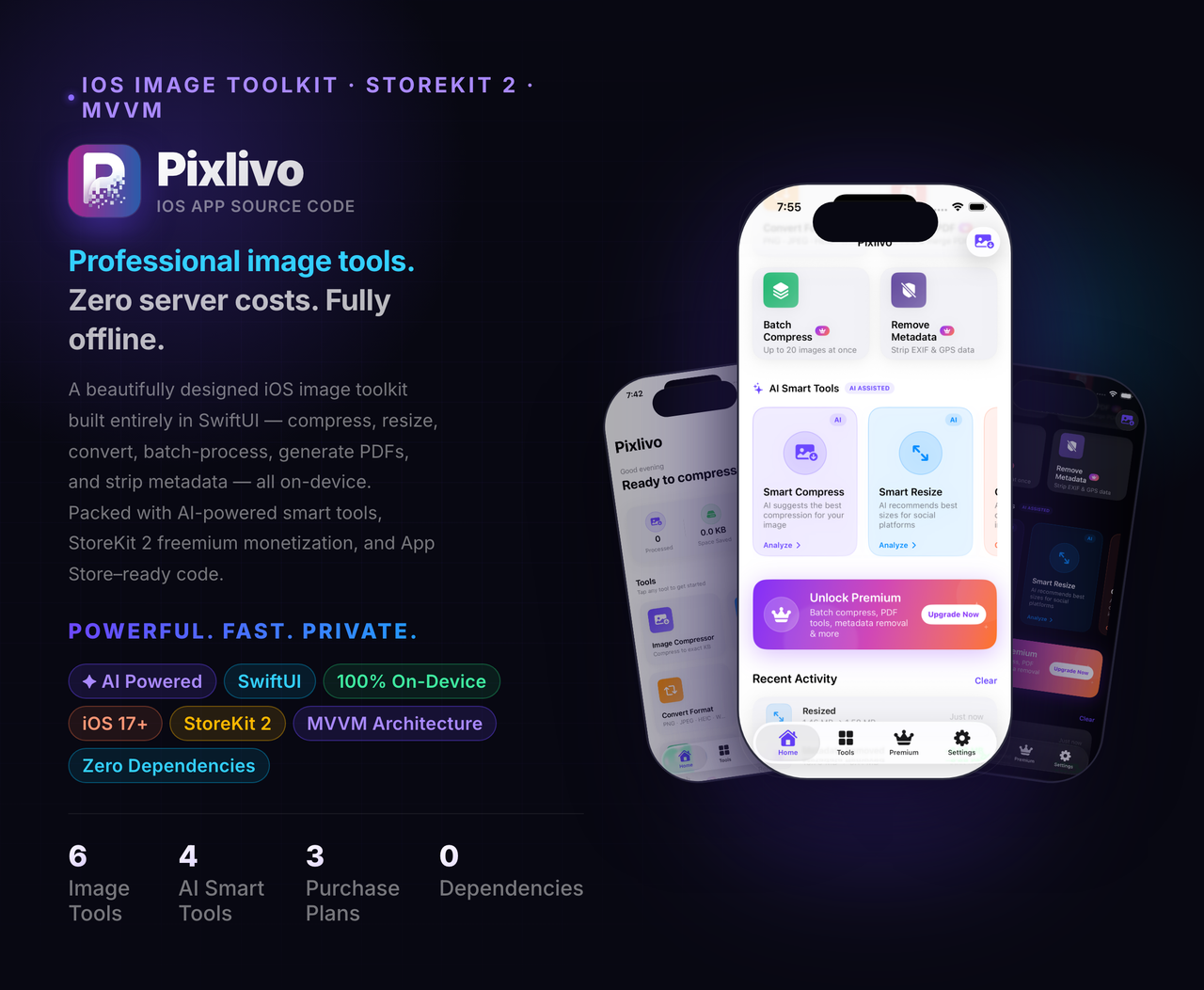
6 Tools. 4 AI Features. 3 Revenue Streams. Zero Cloud Uploads. One App.
The Problem It Solves
Every iPhone user faces the same daily frustration. Photos take up too much storage. Sharing large images over WhatsApp or email is slow. Posting photos to social media accidentally leaks your GPS location. Converting image formats requires downloading yet another app. Generating a PDF from photos feels unnecessarily complicated.
People are forced to juggle five different apps — or worse, upload their private photos to unknown cloud servers just to compress them.
Pixlivo solves all of this in one app — completely on-device, zero cloud uploads, full privacy guaranteed.
What Is Pixlivo?
Pixlivo is a production-ready iOS app source code built entirely in SwiftUI and Swift 5.9. It gives your users a complete image and media processing toolkit with real AI-powered smart tools — all running locally on the device using native Apple frameworks. No third-party SDKs required for core features.
You get a fully monetized app with StoreKit 2 in-app purchases, AdMob ad integration, push notifications, and a polished modern UI — ready to submit to the App Store on day one.
15+ screens · 6 processing tools · 4 AI smart tools · 8 ViewModels · 6 Services · Full Design System
Core Features
1. Image Compression
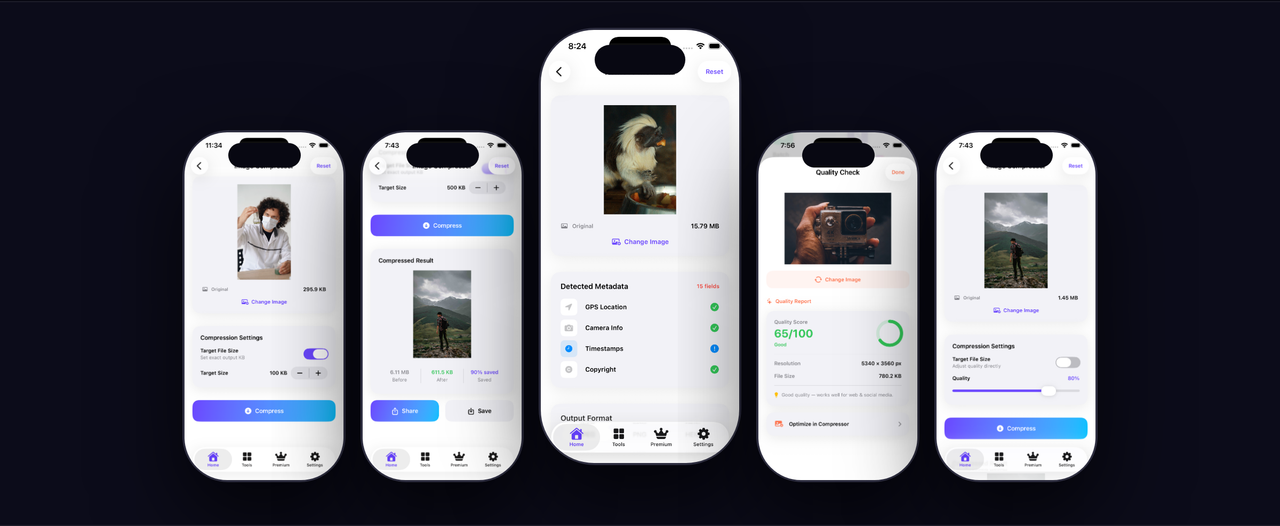
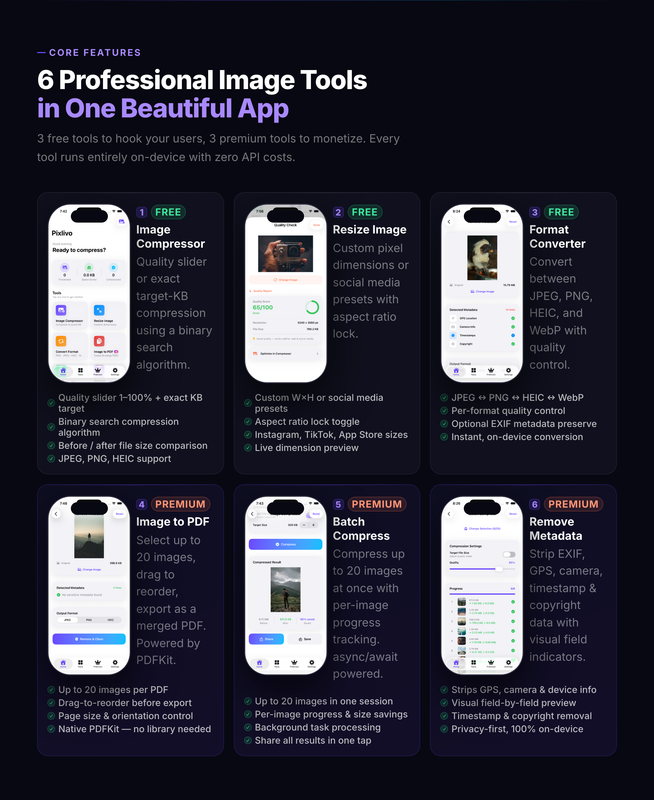
Compress photos using a quality slider or set an exact target file size in KB. A smart binary-search algorithm finds the optimal compression to hit your exact target. Before/after file size stats are shown in real time so users always know exactly how much space they saved.
2. Image Resize
Resize any image to fully custom dimensions with aspect-ratio lock. Includes 7 ready-made social media presets — Instagram Post, Instagram Story, Twitter/X Post, Facebook Cover, LinkedIn Banner, YouTube Thumbnail, and WhatsApp DP — so users can prepare images for any platform in seconds.
3. Format Converter
Convert images between JPEG, PNG, and HEIC formats using Apple’s native CGImageDestination API. Fast, precise conversion with full quality control. No quality loss on lossless formats.
4. Image to PDF
Select up to 20 images, drag and drop to reorder them, choose page size (A4, Letter, or Square), and generate a professional PDF in one tap. Perfect for documents, portfolios, invoices, and presentations.
5. Metadata Remover
Scan any image and see exactly what private data is embedded — GPS coordinates, camera model, timestamps, copyright tags, and full EXIF data. Strip everything with one tap before posting to social media or sharing publicly. An essential privacy tool every user will love.
6. Batch Compression
Queue up to 20 images at once for bulk processing. Per-item progress tracking and a one-tap Export All make handling large photo libraries fast and effortless.
7. Activity Dashboard
A live dashboard shows total images processed, total storage saved, and a full scrollable recent activity history — all persisted so stats and history survive app restarts.
8. Premium / Paywall (StoreKit 2)
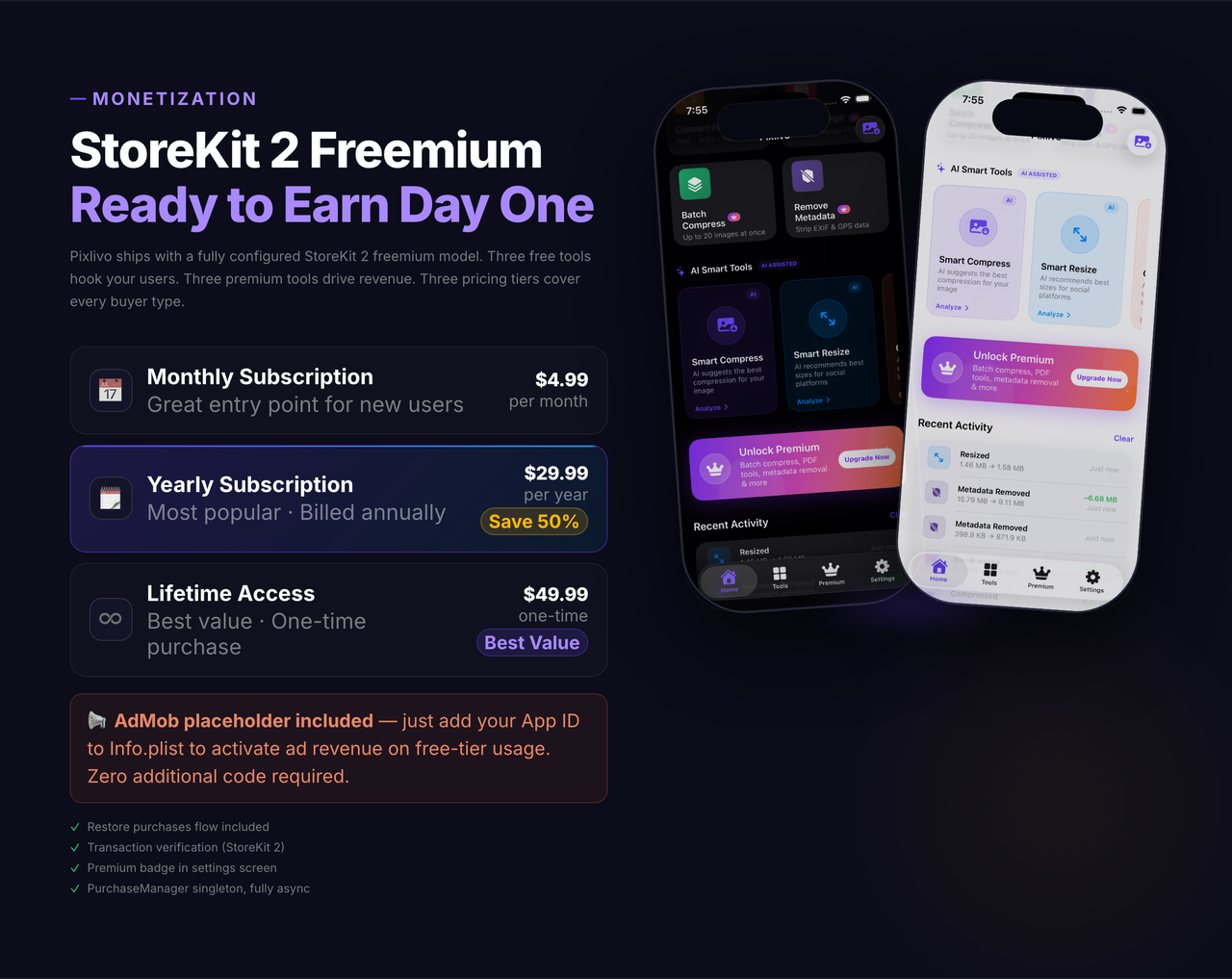
A polished paywall wired to StoreKit 2 with three plans: Monthly subscription, Yearly subscription, and a Lifetime one-time purchase. Restore Purchases included. Just add your App Store Connect product IDs to AppConfig.swift.
9. AdMob Ready
Banner, interstitial, and rewarded ad placeholders are pre-wired and ready. Enable ads by installing the Google Mobile Ads SDK and adding your AdMob IDs — no structural changes to the codebase needed.
10. Push Notifications
Weekly reminder notifications using Apple’s UNUserNotificationCenter. Users can toggle on or off directly from within the app Settings screen.
AI Smart Tools
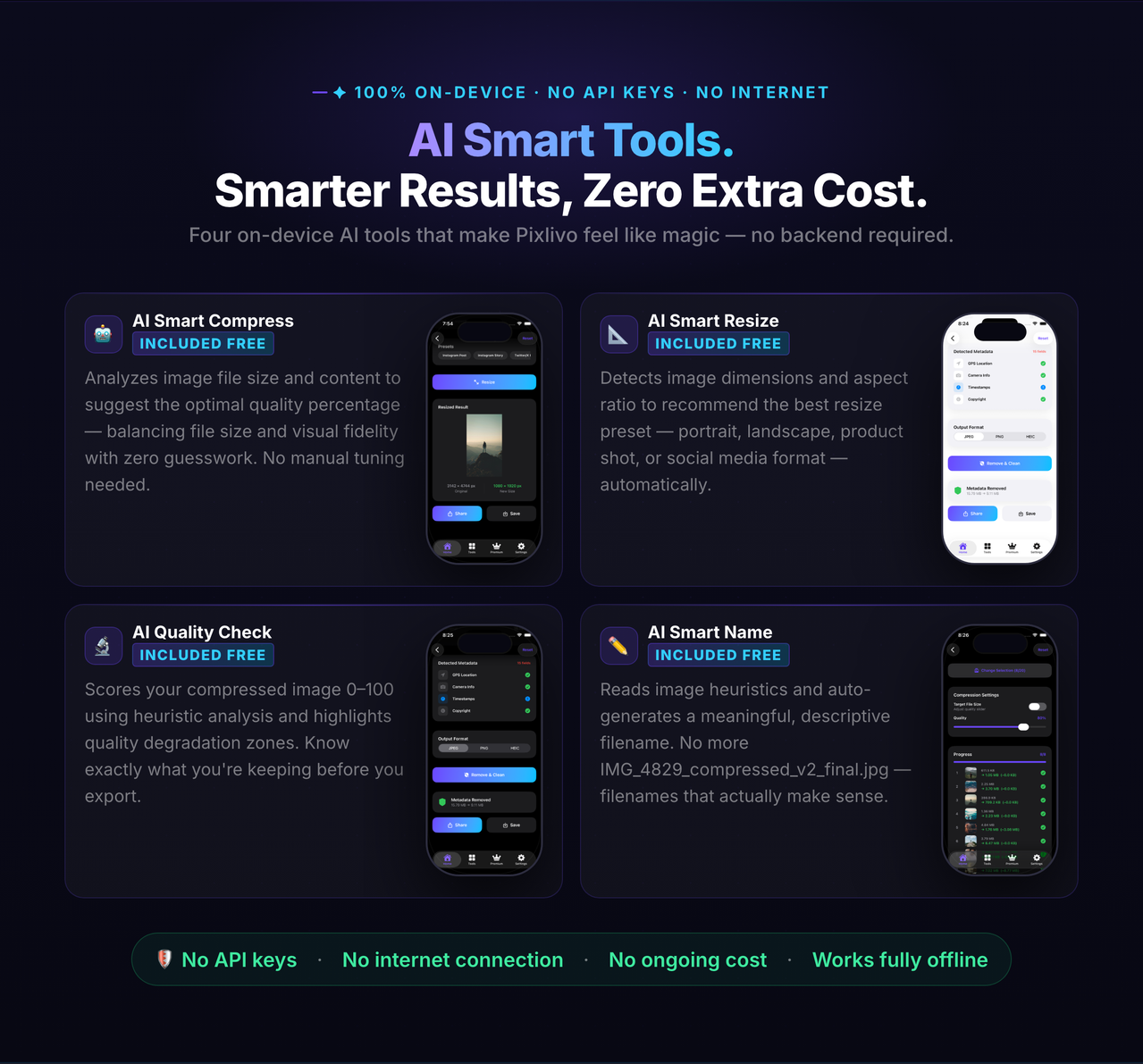
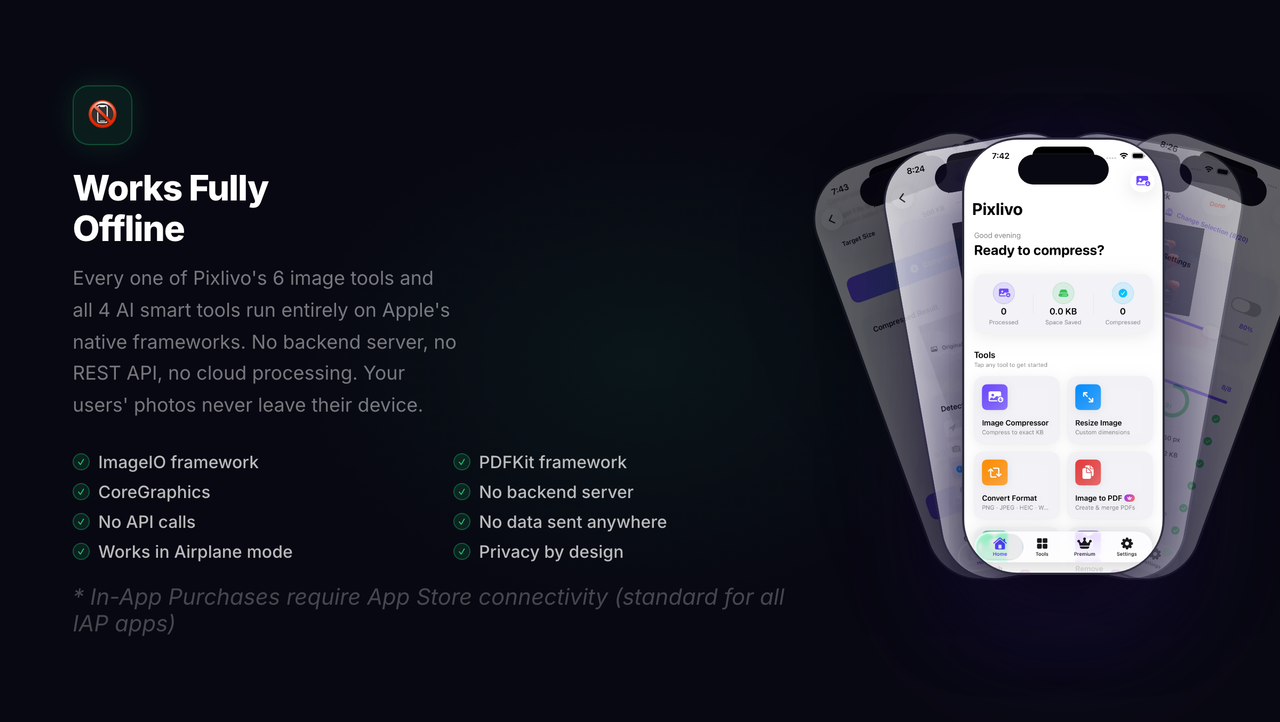
Pixlivo includes a dedicated AI Smart Tools section on the home screen — 4 on-device intelligent tools that analyze your images and make smart recommendations instantly, with no internet connection required.
Smart Compress
Analyzes the image file size and automatically recommends the ideal compression quality percentage. For example: a 3MB photo gets flagged as “Heavy file — aggressive compression advised” and a precise quality target is suggested.
Smart Resize
Analyzes the image’s aspect ratio and automatically recommends the best matching social media preset with exact dimensions and a plain-English explanation of why it fits.
Quality Check
Scores the image quality from 0–100 based on resolution and bits-per-pixel density. Returns a verdict (Excellent / Good / Fair / Needs Work), the exact resolution, file size, and an actionable tip to improve quality.
Smart Name
Detects the image orientation (square, landscape, portrait) and auto-generates a clean descriptive filename with dimensions and date — ready to copy to clipboard and use on export.
All four tools run entirely on-device. No AI API calls, no subscriptions, no data sent anywhere.
Feature Highlights
 |
 |
 |
 |
 |
 |
 |
 |
 |
 |
Technical Highlights
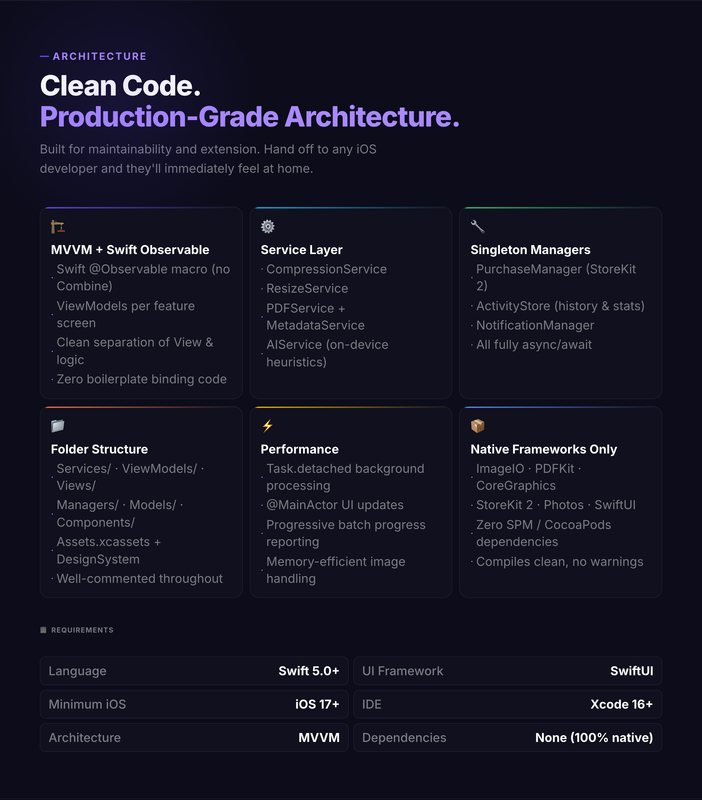
- 100% SwiftUI — modern declarative UI, no UIKit mixing
- MVVM Architecture — clean separation: Services → Managers → ViewModels → Views
- Zero external dependencies for core features — no CocoaPods, no SPM packages required
- StoreKit 2 — modern async/await purchase flow, receipt validation built-in
- On-device processing — CoreImage, ImageIO, PDFKit, Vision framework
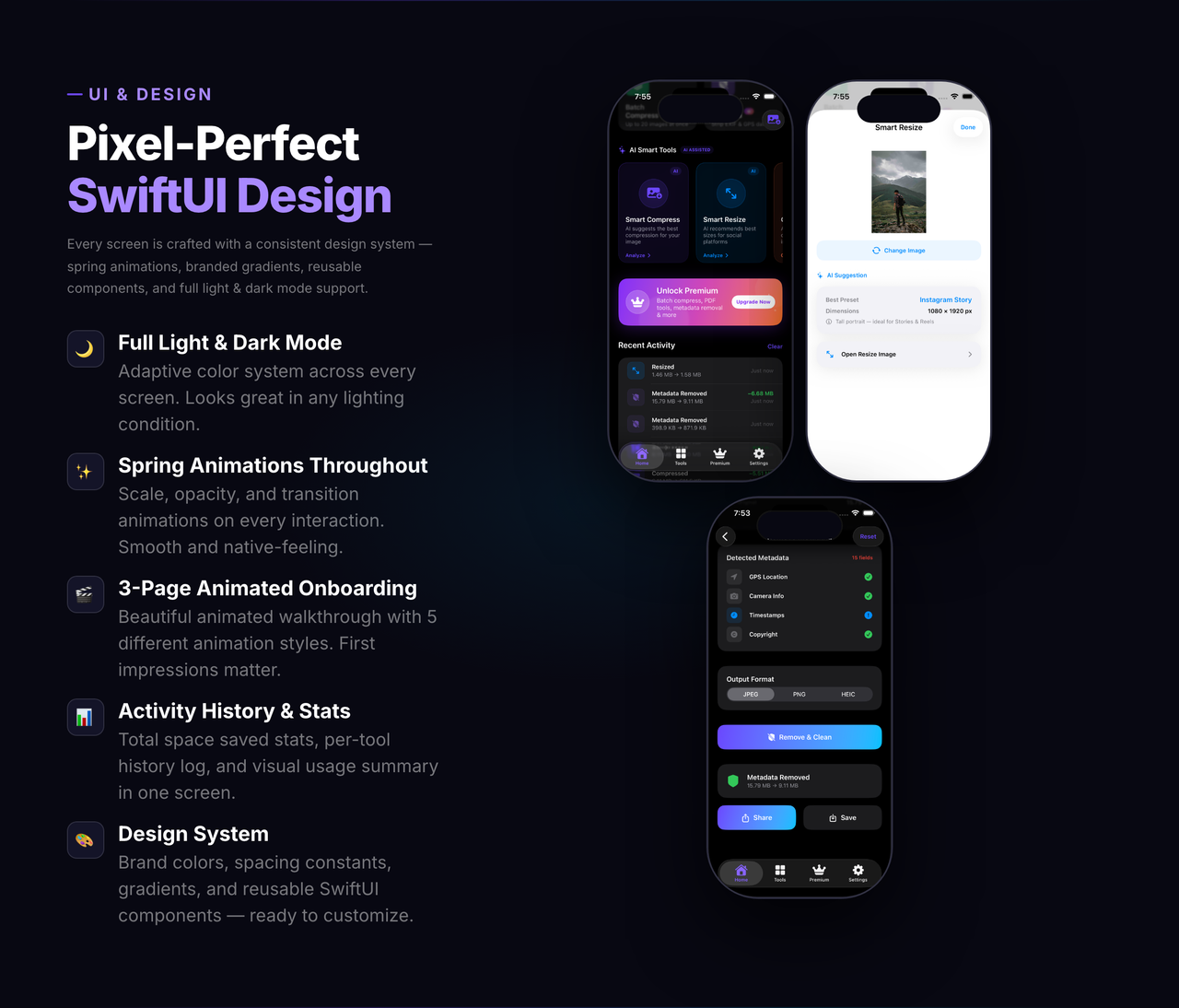
- Dark Mode fully supported throughout
- Universal — iPhone and iPad
- Well-structured, clean code — easy to read, customize, and extend
- AppConfig.swift — single centralized file to configure app name, support email, product IDs, AdMob IDs, and all URLs
Requirements
- Xcode: 16.0 or later
- iOS Deployment Target: iOS 17.0+
- Swift: 5.9+
- Apple Developer Account: Required for App Store submission
- AdMob Account: Optional — for ads monetization
- App Store Connect: Required for in-app purchases
- Device: iPhone / iPad (Universal)
What’s Included
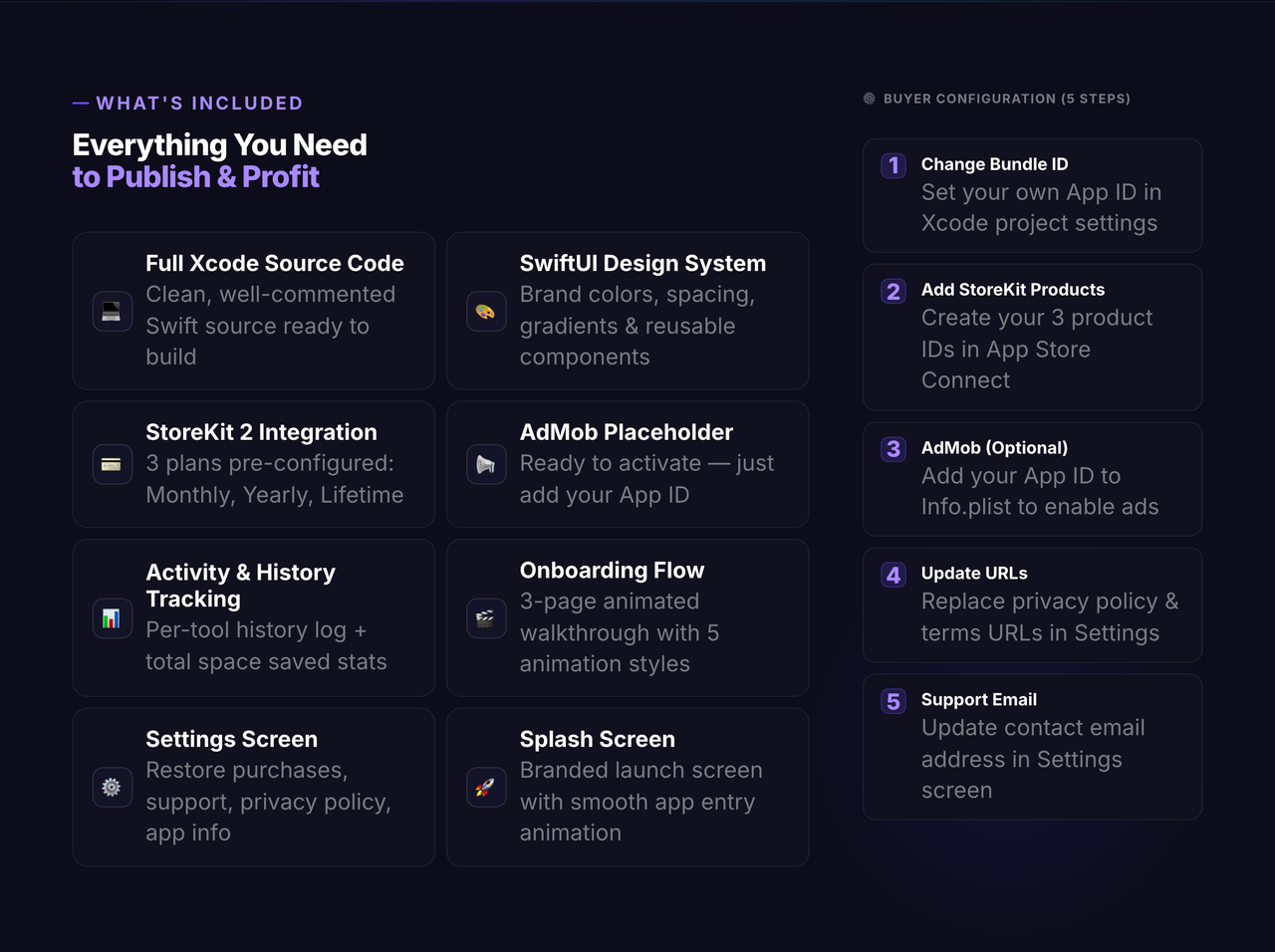
- Full Xcode project source code — 15+ screens including: Home, Image Compressor, Image Resize, Format Converter, Image to PDF, Metadata Remover, Batch Compress, AI Smart Tools, Paywall, Settings, Activity Dashboard, and Onboarding
- All Swift source files — Views, ViewModels, Services, Managers, Models, Components
- AppConfig.swift — centralized buyer configuration file
- Complete Design System — Colors, Fonts, Gradients, Spacing tokens
- Documentation folder — full Setup Guide and step-by-step buyer checklist
- License
Version History
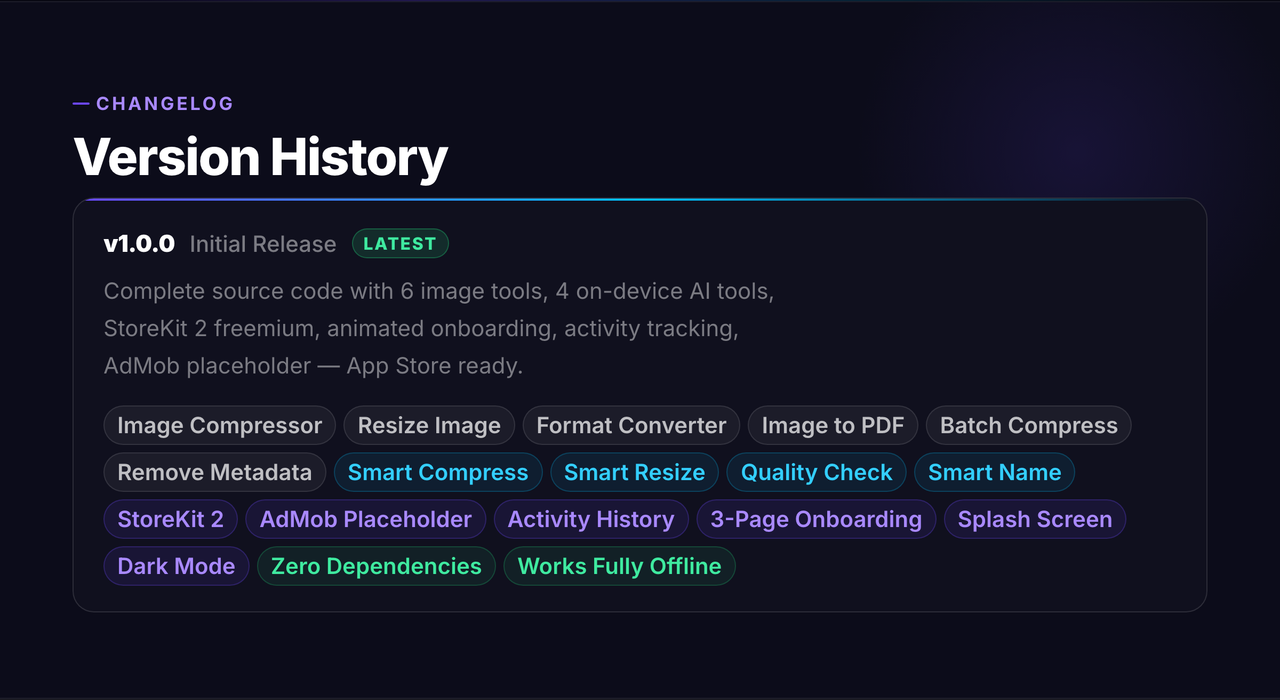
v1.0 — Initial Release
- 6 core image processing tools
- 4 AI Smart Tools (Smart Compress, Smart Resize, Quality Check, Smart Name)
- StoreKit 2 paywall with 3 purchase plans
- AdMob integration (banner, interstitial, rewarded)
- Activity dashboard with persistent history
- Push notifications
- Dark Mode support
- Full documentation included
Support
Full documentation is included in the Documentation/ folder. A detailed SetupGuide.md walks you through every configuration step — from Xcode signing and StoreKit setup to AdMob integration and App Store submission.
Questions before purchase? Email dsfluentapps@gmail.com — response within 24–48 hours.
Need Custom App Development?
Email: dsfluentapps@gmail.com
Available for freelance mobile app development and custom application solutions.
If you have an app idea and want to turn it into a real product, feel free to get in touch.
Pixlivo is an iOS app built with SwiftUI for reducing image file sizes and handling common media tasks. It uses AI-assisted tools to help users compress photos while aiming to keep them clear and usable. The app is intended for people who need smaller image files for sharing, uploading, saving storage space, or preparing content for websites and social media. It may be useful to creators, small businesses, students, and everyday iPhone users who work with photos regularly and want a simple way to manage them.